

Portal Dashboard
📖 Introduction
The Portal Dashboard is your personal home screen. See your phone status, recent activity, and access quick actions.
---
🖥️ Dashboard Elements
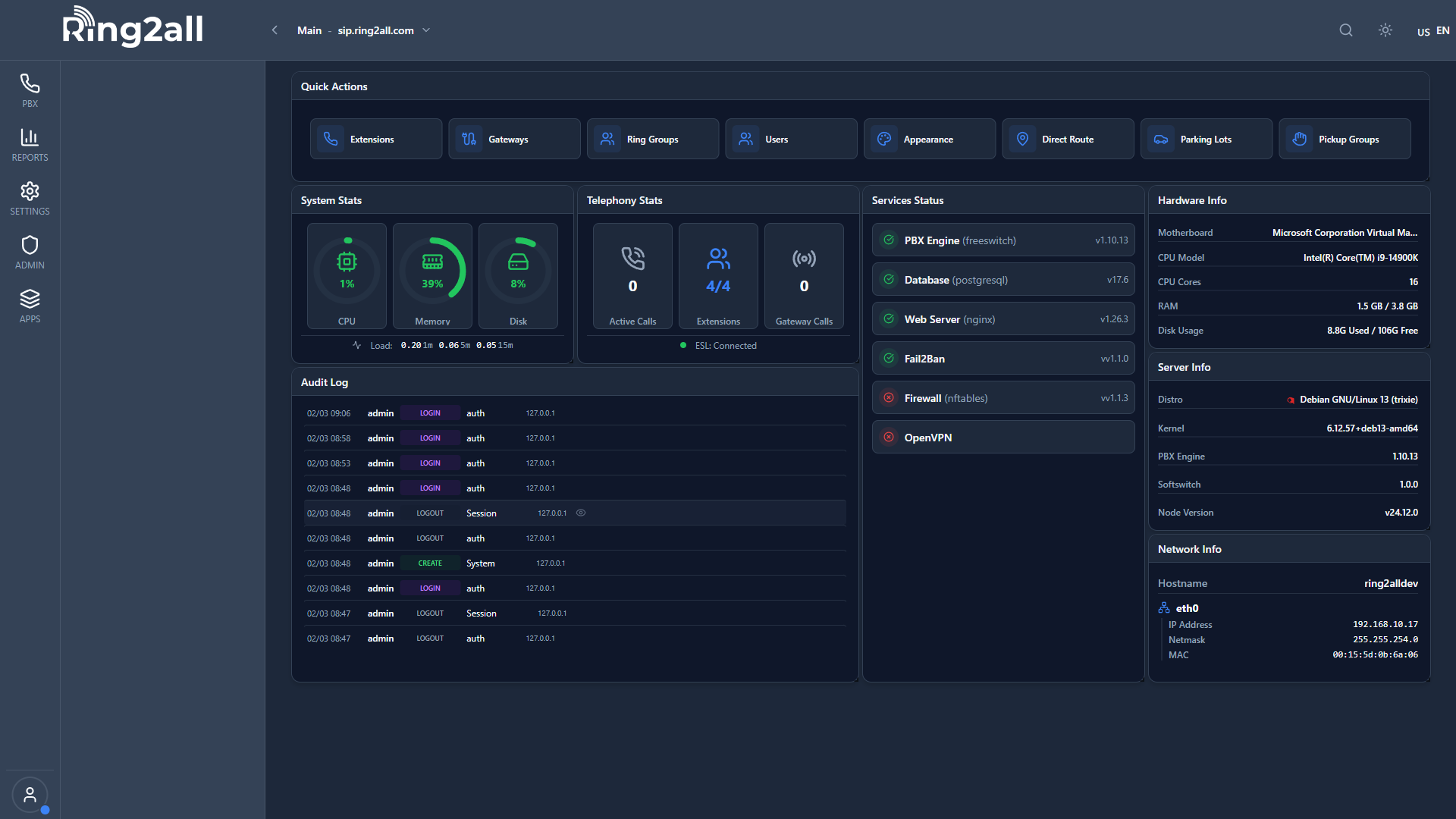
Status Panel
| Item | Shows | |
|---|---|---|
| Your Extension | Extension number | |
| Status | Available/DND/Away | |
| Active Calls | Current calls | |
| Voicemails | Unread count |
Quick Actions
| Action | Function | |
|---|---|---|
| Do Not Disturb | Toggle DND | |
| Call Forward | Quick forward toggle | |
| Check Voicemail | Open voicemail | |
| Make Call | Click-to-call |
Recent Activity
Shows last 5 calls with:
- Caller name/number
- Call direction (in/out/missed)
- Date and time
- Duration
---
🔄 Status Changes
Click your status to change:
| Status | Meaning | |
|---|---|---|
| 🟢 Available | Ready for calls | |
| 🔴 Do Not Disturb | No calls | |
| 🟡 Away | Temporarily away |
💡 Tips
TIP
Click extension number: Quick copy to clipboard.TIP
Refresh dashboard: Auto-updates every 30 seconds.---
🔗 Related
- Call History — Full call list
- Voicemail — All voicemails