

AI Agents
📖 Introduction
AI Agents are intelligent voice assistants that can answer calls, have natural conversations with callers, and perform actions. They use advanced AI (GPT-4o Realtime) to understand speech and respond in real-time.
What AI Agents can do:- Answer incoming calls automatically
- Have natural conversations with callers
- Answer questions about your business
- Collect information from callers
- Transfer calls to humans when needed
- Integrate with external tools (calendars, CRM, etc.)
---
🎯 Common Use Cases
| Use Case | Example | |
|---|---|---|
| Reception assistant | Answer calls, route to departments | |
| Appointment booking | Schedule meetings via Calendly integration | |
| FAQ agent | Answer common questions 24/7 | |
| Lead qualification | Collect caller information before transfer | |
| After-hours support | Handle calls when office is closed |
📋 Prerequisites
- [ ] AI Provider configured (OpenAI recommended)
- [ ] AI Profile created
- [ ] Extension or inbound route to connect to the agent
---
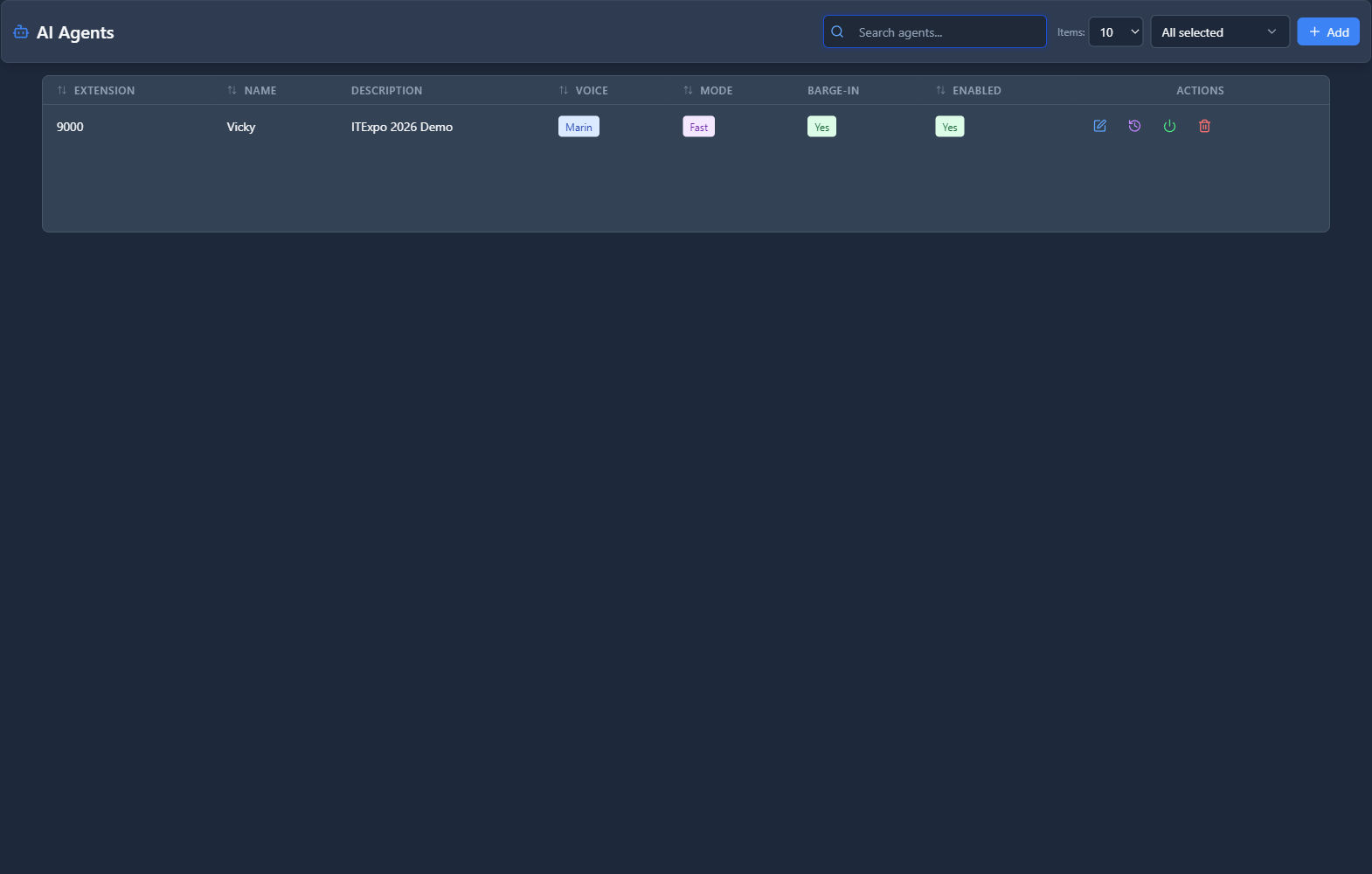
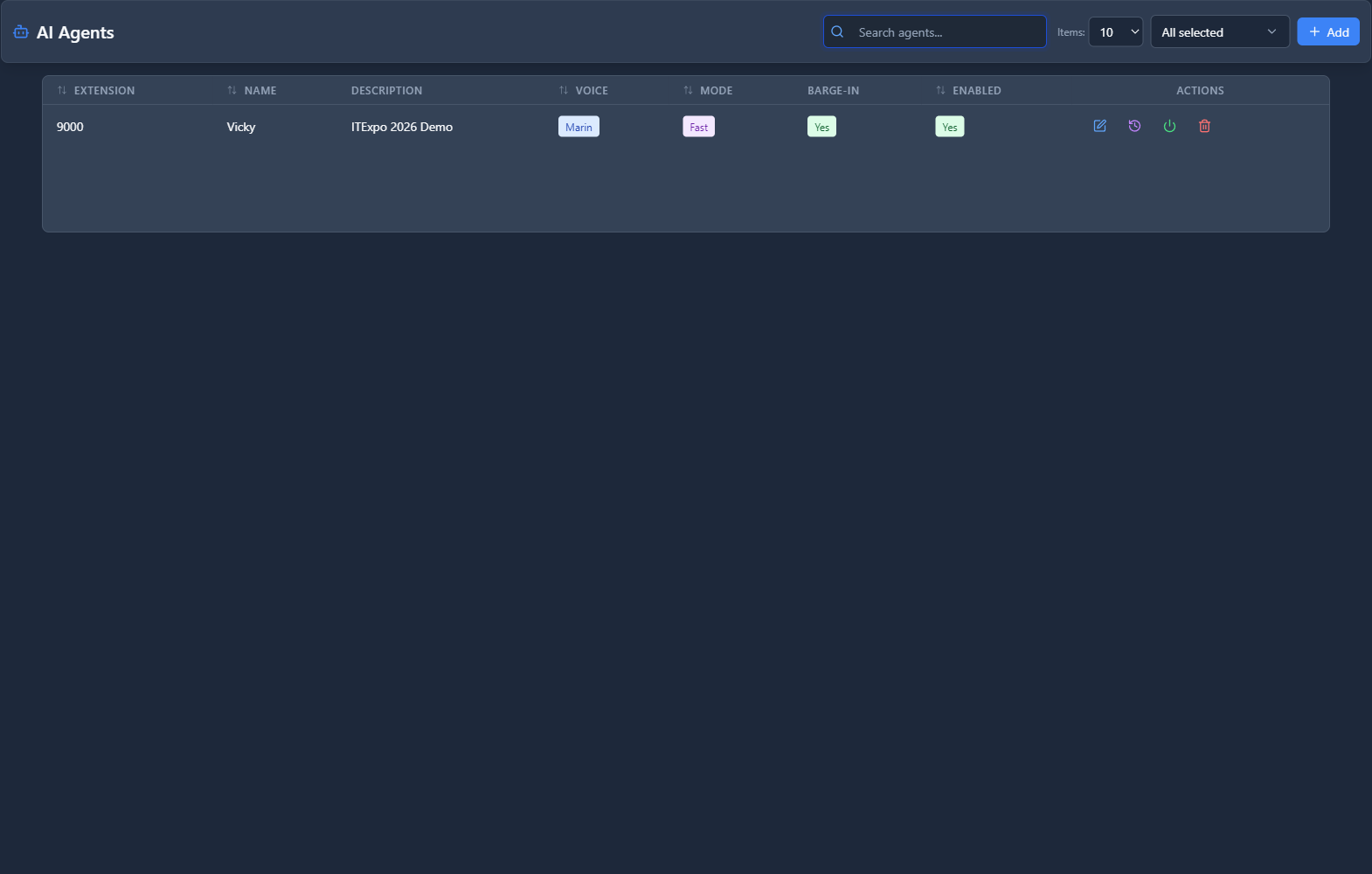
🖥️ Accessing the Module
Navigation:Admin → AI Integration → AI Agents
---
📝 Form Fields
General Tab
| Field | Description | Example | |
|---|---|---|---|
| Name | Agent identifier | Reception AI | |
| Extension | Number to reach this agent | 5000 | |
| AI Profile | Profile with voice/model settings | Professional Voice | |
| Language | Agent's language | English | |
| Enabled | Agent is active | Yes |
Persona Tab
This is where you define the agent's personality and knowledge.
| Field | Description | Example | |
|---|---|---|---|
| System Prompt | Instructions for the AI on how to behave | See example below | |
| Greeting | First thing the agent says | Hello! Thank you for calling Acme Corp. How can I help you today? | |
| Goodbye Message | What to say when ending call | Thank you for calling. Have a great day! | |
| Transfer Message | What to say when transferring | Let me transfer you to a team member who can help. |
Example System Prompt
Behavior Tab
| Field | Description | Example | |
|---|---|---|---|
| Max Call Duration | Maximum call length (seconds) | 300 (5 min) | |
| Inactivity Timeout | End call after silence (seconds) | 30 | |
| Greeting Protection (ms) | Ignore background noise during greeting | 2000 | |
| Allow Transfers | Agent can transfer to extensions | Yes | |
| Transfer on Request | Transfer when caller asks for human | Yes | |
| Transfer Destination | Default transfer target | Ring Group: Reception |
Capabilities Tab
| Field | Description | Example | |
|---|---|---|---|
| Can Transfer Calls | Enable call transfers | Yes | |
| Can Schedule Appointments | Integrate with calendar | No | |
| Can Look Up Information | Query external APIs | No | |
| Available Tools | Select enabled integrations | None |
Knowledge Tab
Upload documents to give the agent specific knowledge:
| Document | Purpose | |
|---|---|---|
| FAQs.pdf | Common questions and answers | |
| Products.pdf | Product descriptions and pricing | |
| Company-Info.pdf | About the company |
---
🚀 Practical Example: Reception AI Agent
Scenario
Create an AI receptionist that:
- Answers the main phone line
- Greets callers and answers basic questions
- Transfers to Sales (1), Support (2), or takes a message
Step 1: Create the AI Agent
| Field | Value | |
|---|---|---|
| Name | Reception AI | |
| Extension | 5000 | |
| AI Profile | Professional Voice | |
| Language | English |
Step 2: Configure Persona
Greeting:"Good morning! Thank you for calling Acme Corporation. My name is Alex, how can I help you today?"System Prompt:
Step 3: Configure Behavior
| Field | Value | |
|---|---|---|
| Max Call Duration | 300 (5 minutes) | |
| Inactivity Timeout | 30 seconds | |
| Greeting Protection | 2000 ms | |
| Allow Transfers | Yes | |
| Transfer Destination | Ring Group: Front Desk |
Step 4: Connect to Inbound Route
Route your main phone number to extension 5000 (the AI Agent).
Call Flow:Step 5: Test
- Call your main number
- Verify the AI greets you
- Ask a question about the company
- Ask to speak to sales
- Verify transfer works
---
💡 Tips & Best Practices
---
❓ Frequently Asked Questions
Q: What languages does the AI support?A: The AI supports many languages including English, Spanish, French, German, Portuguese, and more. Set the language in the agent configuration.
---
Q: Can the AI handle multiple calls at once?A: Yes, each call creates a separate AI session. There's no practical limit to concurrent calls.
---
Q: How do I improve the AI's accuracy?A:
- Refine your system prompt with more specific instructions
- Upload knowledge documents with accurate information
- Review call transcripts to identify misunderstandings
- Adjust behavior settings (greeting protection, timeouts)
---
Q: Can the AI schedule appointments?A: Yes, with the Calendly integration enabled in Capabilities. The AI can check availability and book meetings.
---
Q: What if the AI can't help the caller?A: Configure "Transfer on Request" so when callers ask for a human, the AI transfers them to your fallback destination.
---
🔗 Related Modules
- AI Providers — Configure AI credentials
- AI Profiles — Voice and model settings
- Inbound Routes — Route calls to AI agents
- Ring Groups — Transfer destinations
---
← Previous: AI Profiles