

Portal Recordings
📖 Introduction
Section titled “📖 Introduction”The Recordings module provides subscribers with a secure, self-service media repository containing calls recorded on their extension. Whether recordings are triggered automatically via PBX recording policies or initiated on-demand, users can listen directly inside the browser, scrub through audio waveforms, and download sound files for reference.
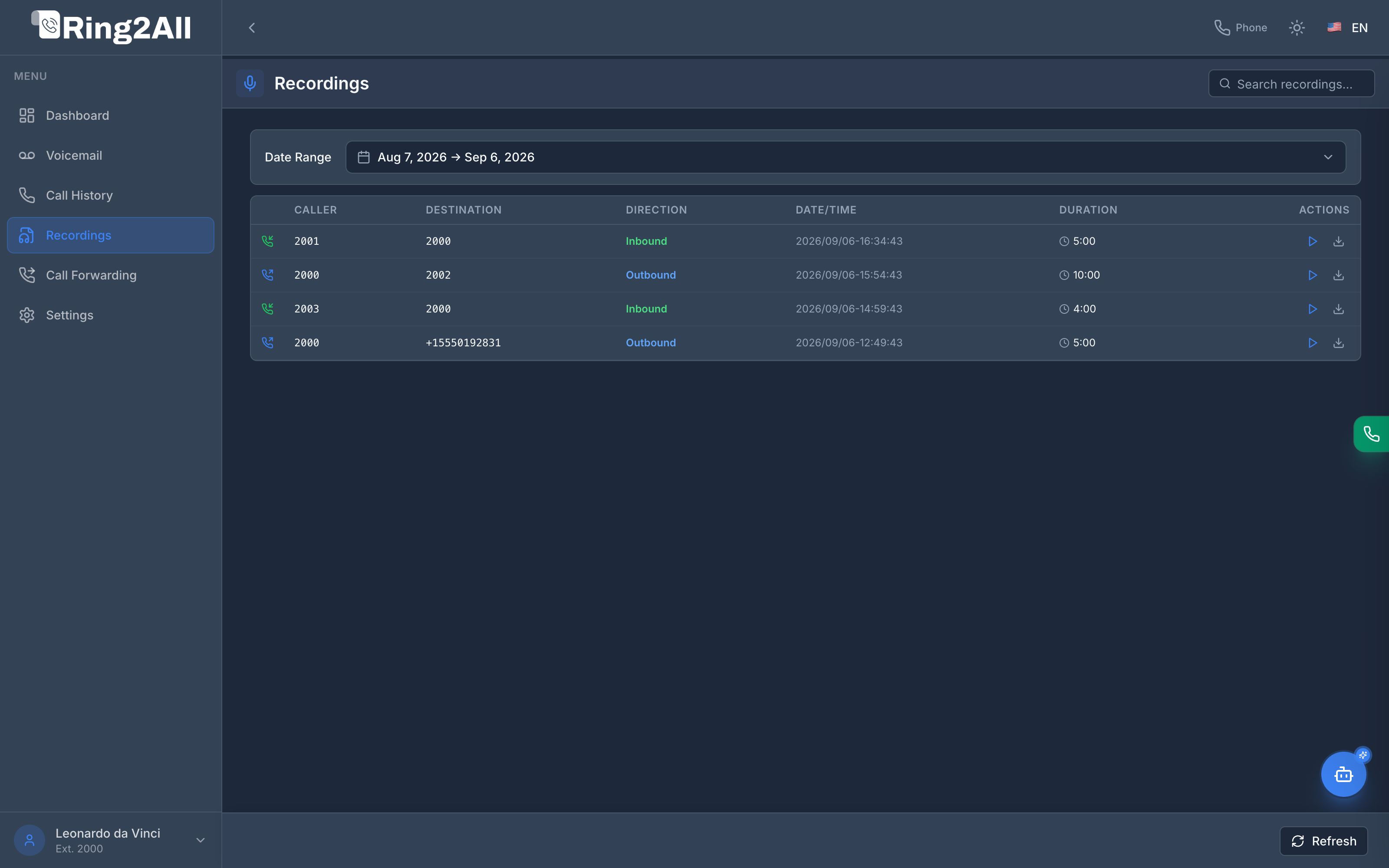
📋 Recordings Data Grid
Section titled “📋 Recordings Data Grid”The table displays every recorded conversation associated with the subscriber’s extension:
| Column | Field Data | Description |
|---|---|---|
| Caller | Originating party | Phone number or extension that initiated the call. |
| Destination | Recipient party | Number or internal extension called. |
| Direction | Classification | Inbound (green) or Outbound (blue). |
| Date / Time | Recording timestamp | Exact date and time the media session commenced. |
| Duration | Audio length | Total duration of the recorded conversation (e.g., 5:00, 10:00, 4:00). |
| Actions | Playback & Download | Instant in-browser audio Play (▶) and direct audio file Download (⬇). |
🎧 In-Browser Audio Player
Section titled “🎧 In-Browser Audio Player”Clicking the Play icon (▶) launches the inline HTML5 audio engine:
- Immediate Streaming: Audio streams on-demand via authenticated API endpoints (
GET /api/portal/recordings/:id/stream). - Scrubbing & Time Navigation: Drag the timeline slider to jump forward or backward through long calls.
- Audio Download: Click the download button (
⬇) to save the audio file locally in standard.wavor.mp3format.
🔍 Filtering & Searching
Section titled “🔍 Filtering & Searching”- Date Range Picker: Filter recordings captured today, over the last 30 days, or across custom historical dates.
- Instant Search: Search by caller ID or dialed destination to locate specific client conversations.
- Refresh: Synchronize with Telephony Server storage to immediately display newly ended calls.
💡 Best Practices
Section titled “💡 Best Practices”[!TIP] Data Privacy & Compliance: Recordings access is strictly scoped to the authenticated extension. Subscribers cannot listen to recordings originating from other extensions unless granted organizational supervisor rights in PBX Admin.