

Email & Alarms Settings
Table of Contents
Section titled “Table of Contents”- Overview & Alarm Dispatch Architecture
- Business & Operational Significance
- 🎯 User Roles & Key Capabilities
- Visual Interface & Form Layout
- Field Reference & SMTP Configuration Parameters
- Critical Telecom Alarm Triggers & Event Handlers
- Alert Storm Suppression & Rate Limiting
- Troubleshooting & Verification
- Model Context Protocol (MCP) AI Integration
- Glossary
1. Overview & Alarm Dispatch Architecture
Section titled “1. Overview & Alarm Dispatch Architecture”In Ring2All SBC, the Email & Alarms module provides centralized configuration for outbound Simple Mail Transfer Protocol (SMTP) relays and automated telecom alarm dispatching. By bridging Kamailio core events, RTPEngine health checks, and perimeter firewall security monitors with enterprise email gateways, the SBC ensures that Network Operations Center (NOC) engineers and systems administrators receive immediate, actionable alerts during critical infrastructure anomalies.
┌─────────────────────────────────────────────────────────────┐ │ Ring2All SBC Telemetry & Event Engine │ └──────────────────────────────┬──────────────────────────────┘ │ ┌──────────────────────────┼──────────────────────────┐ │ │ │┌──────────▼───────────┐ ┌─────────▼───────────┐ ┌─────────▼───────────┐│ Pike Anti-Flood Ban │ │ Carrier Trunk Down │ │ TLS Cert Expiring ││ IP: 192.168.11.199 │ │ Gateway: Carrier-01 │ │ Expires in 7 Days │└──────────────────────┘ └─────────────────────┘ └─────────────────────┘ │ │ │ └──────────────────────────┼──────────────────────────┘ │ ▼ ┌───────────────────────────────────┐ │ Alarm Processing & Suppression │ │ (Anti-Flapping / Queue) │ └─────────────────┬─────────────────┘ │ SMTP STARTTLS / SSL (Port 587) │ ▼ ┌───────────────────────────────────┐ │ Enterprise Mail Gateway │ │ (Office 365 / Google Workspace) │ └───────────────────────────────────┘The system supports standard STARTTLS and SSL encryption, custom sender headers, alert deduplication, and single-click diagnostic test dispatches directly from the web interface.
2. Business & Operational Significance
Section titled “2. Business & Operational Significance”- Rapid Incident Mitigation: Drastically reduces Mean Time to Detection (MTTD) by alerting on-call engineers the moment carrier gateways stop responding to SIP OPTIONS keepalives.
- Proactive Security Defense: Broadcasts instant notifications when the Pike anti-flood module or APIBAN perimeter guard imposes an automatic IP ban, enabling immediate investigation of DDoS attacks.
- Zero-Downtime Certificate Maintenance: Issues automated countdown alerts 30, 15, and 7 days prior to SSL/TLS certificate expirations, preventing catastrophic interconnect dropouts on Microsoft Teams or secure SIP trunks.
- Capacity Overrun Prevention: Monitors shared memory (
shm) and media engine session counts, warning administrators before resource saturation causes packet loss.
3. 🎯 User Roles & Key Capabilities
Section titled “3. 🎯 User Roles & Key Capabilities”| Role | Primary Use Case | Key Capabilities |
|---|---|---|
| NOC Operations Specialist | Incident Response Oversight | Configure alarm recipient groups, verify emergency contact routes, and receive carrier outage notices. |
| SBC Systems Administrator | SMTP Gateway Configuration | Configure mail server hostnames, provision TLS credentials, and validate outbound port connectivity. |
| Security Incident Handler | Perimeter Threat Escalation | Receive automated notifications of brute-force registration floods, credential stuffing, and blacklisted IP drops. |
| Telecom Quality Engineer | Voice Metric Threshold Governance | Define QoS degradation alarms triggered by sustained MOS drops or excessive jitter on carrier trunks. |
| AI Platform Copilot / Administration Agent | Automated Mailer Auditing & Synthetic Alarm Testing | Query active SMTP relay parameters, verify alarm trigger thresholds, and dispatch synthetic test alerts via MCP. |
4. Visual Interface & Form Layout
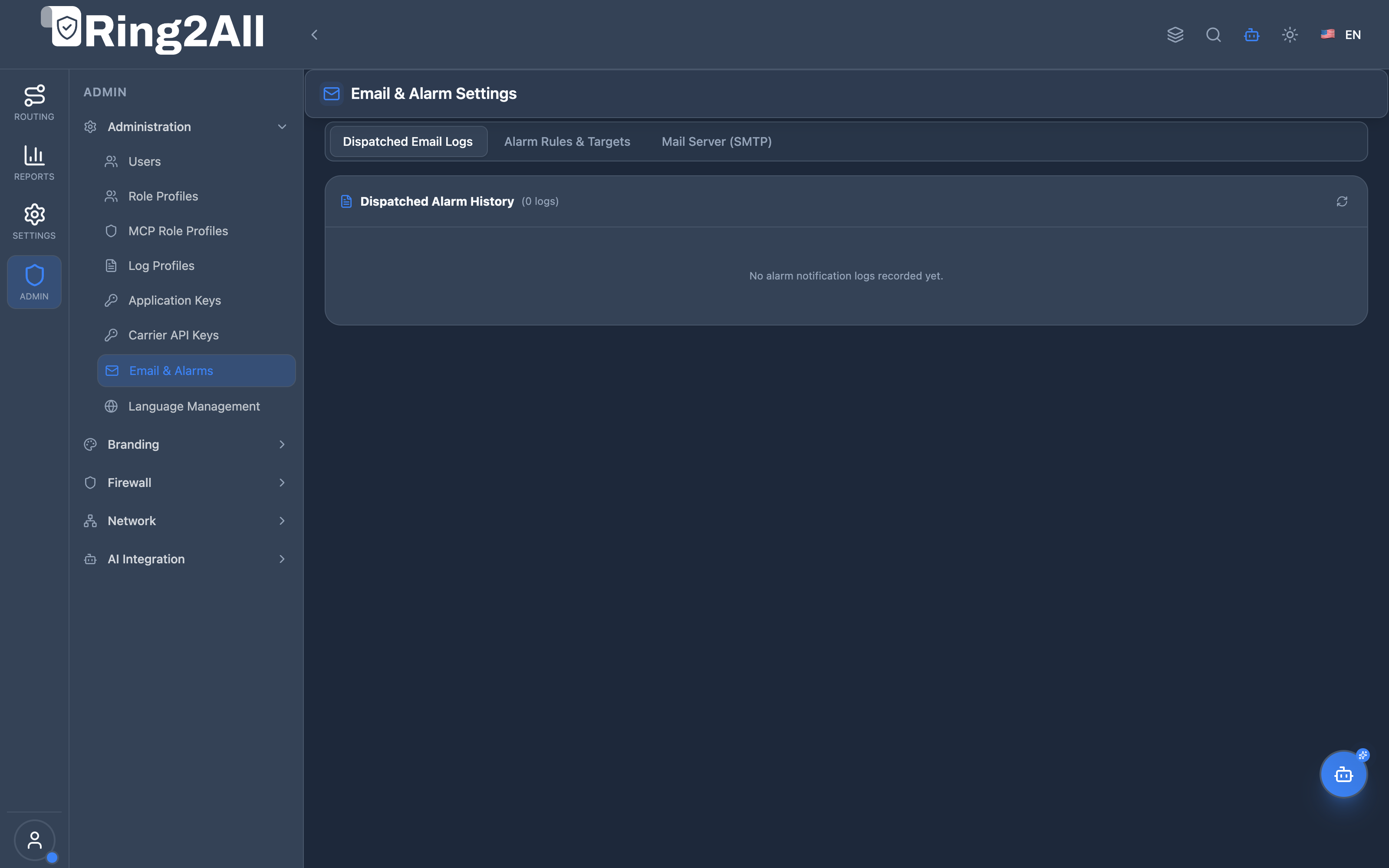
Section titled “4. Visual Interface & Form Layout”The Email & Alarms interface presents a unified administrative view containing the SMTP Server Configuration, Sender & Recipient Headers, and Alarm Trigger Thresholds.
5. Field Reference & SMTP Configuration Parameters
Section titled “5. Field Reference & SMTP Configuration Parameters”| Field Name | Type | Default | Description |
|---|---|---|---|
| SMTP Server Host | String | smtp.ring2all.com |
Fully qualified domain name or IP address of the outbound mail relay. |
| SMTP Port | Integer | 587 |
Outbound TCP socket port: 587 (STARTTLS), 465 (SSL/TLS), or 25 (Standard SMTP). |
| Encryption Mode | Select | STARTTLS |
Cryptographic transport security: STARTTLS (recommended), SSL/TLS, or None / Plaintext. |
| SMTP Username | String | sbc-alerts@ring2all.com |
Authentication account username required by the remote SMTP server. |
| SMTP Password | Password | Text / Secret | Secret password or app-specific token used for SMTP authentication. |
| From Address | sbc-alerts@ring2all.com |
Envelope sender email address stamped on all outgoing alarm notifications. | |
| Sender Display Name | String | Ring2All SBC Alerting |
Human-readable name displayed in the recipient’s mail client. |
| Notification Recipients | Text | Comma-delimited emails | Primary email distribution list (e.g., noc@company.com, alerts@company.com). |
| Send Test Email | Button | Action trigger | Immediately transmits a sample test message to verify credentials and server reachability. |
6. Critical Telecom Alarm Triggers & Event Handlers
Section titled “6. Critical Telecom Alarm Triggers & Event Handlers”The alerting daemon monitors internal SBC telemetry channels and triggers structured email alerts:
6.1 Carrier Trunk Down (Keepalive Failure)
Section titled “6.1 Carrier Trunk Down (Keepalive Failure)”- Trigger Condition: Kamailio dispatcher marks a carrier destination probe state as inactive (
IP_DISPATCHER_INACTIVE) after 3 consecutive failed SIP OPTIONS pings. - Alert Content: Gateway IP, Carrier Name, Port, and last successful keepalive timestamp.
6.2 Automatic IP Ban (Pike / Fail2ban)
Section titled “6.2 Automatic IP Ban (Pike / Fail2ban)”- Trigger Condition: Perimeter firewall adds a client IP to the in-memory
ipbantable due to rate-limit violations (e.g., > 100 SIP requests in 2 seconds). - Alert Content: Remote IP address, country of origin, detected request rate, and ban duration.
6.3 TLS Certificate Expiry Warning
Section titled “6.3 TLS Certificate Expiry Warning”- Trigger Condition: X.509 server certificate assigned to port 5061 (SIP TLS) enters the warning threshold (30 days remaining).
- Alert Content: Certificate Common Name (CN), issuer authority, and days until expiration.
6.4 High Shared Memory Saturation
Section titled “6.4 High Shared Memory Saturation”- Condition: Core Kamailio shared memory allocation exceeds 85% of configured ceiling.
- Alert Content: Total memory, Used memory, Current fragments, and active call count.
7. Alert Storm Suppression & Rate Limiting
Section titled “7. Alert Storm Suppression & Rate Limiting”To protect engineering inboxes during major outages or active DDoS attacks:
[First Event Triggered] ──► Immediate Email Alert Dispatched │ (Timer Window: 300 Seconds) │[100 Subsequent Floods] ──► Suppressed & Aggregated in Memory │[Timer Window Expires] ──► Digest Summary Dispatched: "142 additional flood drops occurred in last 5m"- Anti-Flapping Timers: If a carrier gateway flaps between online and offline, alerts are throttled to a maximum of one notice per 5-minute window.
- Flood Aggregation: During intense SIP floods generating thousands of IP bans, the notification daemon aggregates blocks into a single hourly digest.
8. Troubleshooting & Verification
Section titled “8. Troubleshooting & Verification”Executing a Live Test Email via CLI
Section titled “Executing a Live Test Email via CLI”Test outbound SMTP relay connectivity directly from the SBC operating system:
echo "Subject: SBC Manual Test" | sendmail -v noc@company.comInspecting Outbound Mail Logs
Section titled “Inspecting Outbound Mail Logs”To diagnose SMTP connection errors, invalid credentials, or relay rejections:
tail -n 25 /var/log/mail.logSuccessful transmission log sample:
postfix/smtp[12941]: 8E192A0: to=<noc@company.com>, relay=smtp.gmail.com[142.250.110.108]:587, status=sent (250 2.0.0 OK)9. Model Context Protocol (MCP) AI Integration
Section titled “9. Model Context Protocol (MCP) AI Integration”Ring2All SBC exposes dedicated Model Context Protocol (MCP) tools enabling AI agents, autonomous NOC bots, and administrative copilot assistants to query email alert configurations and dispatch diagnostic test notifications.
Available MCP Tools
Section titled “Available MCP Tools”| Tool Name | Operation | Risk Level | Description |
|---|---|---|---|
get_sbc_email_alarm_settings |
Read | Low (read) |
Get SMTP mailer configuration, alarm notification emails, and active SBC alarm trigger thresholds (toll fraud, IP ban, carrier down, QoS degradation). |
test_sbc_email_alarm |
Mutate | Medium (operational) |
Send a diagnostic test alarm or synthetic alert email via the configured SBC notification gateway to verify delivery. |
Tool Schemas & Parameter Definitions
Section titled “Tool Schemas & Parameter Definitions”get_sbc_email_alarm_settings
Section titled “get_sbc_email_alarm_settings”{ "name": "get_sbc_email_alarm_settings", "description": "Get SMTP mailer configuration, alarm notification emails, and active SBC alarm trigger thresholds (toll fraud, IP ban, carrier down, QoS degradation).", "inputSchema": { "type": "object", "properties": {} }}test_sbc_email_alarm
Section titled “test_sbc_email_alarm”{ "name": "test_sbc_email_alarm", "description": "Send a diagnostic test alarm or synthetic alert email via the configured SBC notification gateway.", "inputSchema": { "type": "object", "properties": { "recipient": { "type": "string", "description": "Email address to receive the test alarm" }, "alarmType": { "type": "string", "description": "Synthetic alarm type to simulate (security, toll_fraud, carrier_down, qos, test)" } }, "required": ["recipient"] }}Realistic Payload Examples
Section titled “Realistic Payload Examples”Query Request (get_sbc_email_alarm_settings)
Section titled “Query Request (get_sbc_email_alarm_settings)”{}Successful Response (get_sbc_email_alarm_settings)
Section titled “Successful Response (get_sbc_email_alarm_settings)”{ "success": true, "data": { "emailConfigs": [ { "id": 1, "uuid": "4e18d7a3-b09e-4a6f-99c7-542e7b89d102", "name": "Primary SMTP Relay", "driver": "smtp", "host": "smtp.ring2all.com", "port": 587, "username": "sbc-alerts@ring2all.com", "password": "********", "from_email": "sbc-alerts@ring2all.com", "from_name": "Ring2All SBC NOC", "encryption": "tls", "status": "active", "is_default": true } ], "alarmSettings": { "enabled": true, "notificationEmails": "noc@ring2all.com, alerts@ring2all.com", "alertOnIpBan": true, "alertOnTollFraud": true, "alertOnCarrierDown": true, "alertOnMediaRelayDown": true, "alertOnCertExpiry": true, "alertOnQosDegradation": true, "qosMosThreshold": 3.5, "qosPacketLossThreshold": 2.0, "dailySummaryEnabled": true, "dailySummaryTime": "08:00" } }}Natural Language Prompt Scenarios
Section titled “Natural Language Prompt Scenarios”English (Alarm Trigger Audit)
Section titled “English (Alarm Trigger Audit)”“Check the active email alarm settings on Ring2All SBC and verify if carrier down and toll fraud alerts are enabled, along with the configured recipient distribution list.”
Spanish (Prueba de Despacho de Alerta)
Section titled “Spanish (Prueba de Despacho de Alerta)”“Envía un correo de alarma de prueba sintética a ‘noc-tier2@ring2all.com’ simulando una alerta de tipo ‘carrier_down’ para verificar la entrega del servidor SMTP.”
Enterprise AI Safety Guardrails
Section titled “Enterprise AI Safety Guardrails”- Credential Masking: Mail server passwords (
password_encrypted) are permanently replaced with'********'in all MCP responses, protecting relay credentials. - Recipient Format Verification:
test_sbc_email_alarmenforces RFC-compliant email address validation before dispatching outbound messages.
10. Glossary
Section titled “10. Glossary”- SMTP (Simple Mail Transfer Protocol): An internet standard communication protocol for electronic mail transmission.
- STARTTLS: An email protocol command that upgrades an existing plaintext connection to a secure TLS/SSL encrypted connection.
- Anti-Flapping: An operational mechanism that delays or suppresses state change alerts when a resource repeatedly toggles between up and down states.
- OPTIONS Keepalive: A SIP request method sent periodically to a remote gateway to measure round-trip latency and verify endpoint availability.