

Portal Call Forwarding
📖 Introduction
Section titled “📖 Introduction”The Call Forwarding module grants subscribers autonomous control over their personal call routing behavior. When stepping away from their desk or traveling, users can redirect incoming calls to colleagues, mobile devices, external PSTN lines, or personal voicemail based on specific telephony conditions.
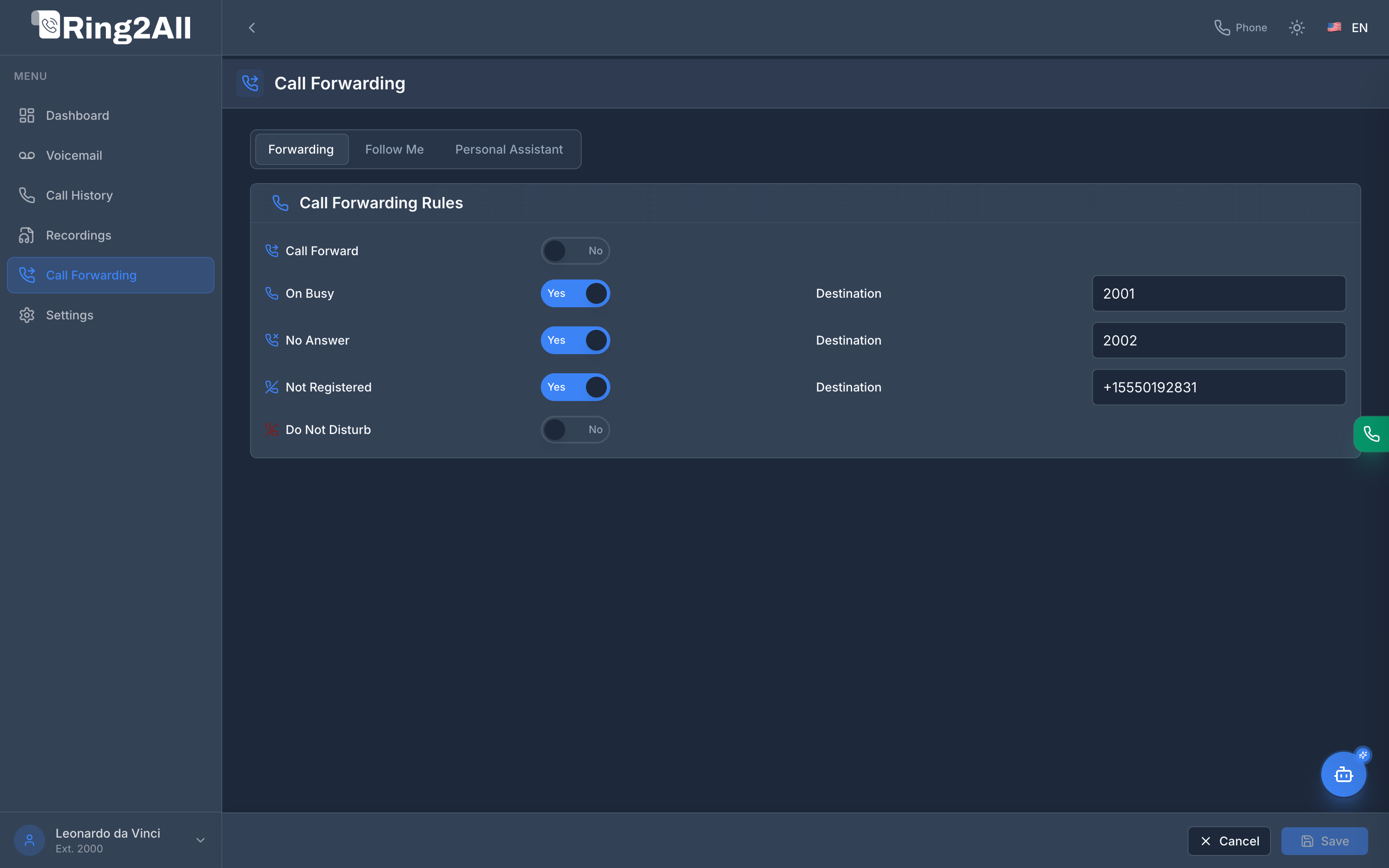
🔀 Call Forwarding Rules
Section titled “🔀 Call Forwarding Rules”Under the primary Forwarding tab, subscribers can activate and customize five distinct telephony redirection states:
| Rule | Trigger Condition | Destination Example |
|---|---|---|
| Call Forward | Unconditional immediate forward. Intercepts and redirects all incoming calls before the extension rings. | External cell phone, remote office number, or backup extension. |
| On Busy | Triggered when the extension is engaged on another call and has exhausted available call appearances. | Colleague extension (e.g., 2001) or hunt group. |
| No Answer | Triggered when the extension rings past the configured ring timeout threshold without being answered. | Assistant extension (e.g., 2002) or department overflow. |
| Not Registered | Triggered when no SIP client, IP desk phone, or WebRTC session is registered to this extension. | Mobile number (e.g., +15550192831). Ensures zero missed calls during power or network outages. |
| Do Not Disturb (DND) | Immediately rejects incoming calls and routes them directly to voicemail. | Voicemail Box. |
📑 Specialized Routing Tabs
Section titled “📑 Specialized Routing Tabs”The module contains three operational sub-sections:
graph TD
    ForwardingTabs["Call Forwarding Tabs"]
    ForwardingTabs --> Rules["Forwarding (State-Based Rules)"]
    ForwardingTabs --> FollowMe["Follow Me (Multi-Device Hunt)"]
    ForwardingTabs --> Assistant["Personal Assistant (IVR Screening)"]
1. Forwarding (Default)
Section titled “1. Forwarding (Default)”Enables precise toggle switches (Yes / No) and individual text input fields for destination phone numbers or extensions.
2. Follow Me
Section titled “2. Follow Me”Allows ringing multiple telephone endpoints either simultaneously or sequentially. For example:
- Step 1: Ring desk phone for 10 seconds.
- Step 2: Ring mobile phone simultaneously for 20 seconds.
- Step 3: Route to personal voicemail.
3. Personal Assistant
Section titled “3. Personal Assistant”Provides automated caller screening. Callers can be prompted to record their name before the system attempts to bridge the call to the subscriber’s mobile line.
💾 Saving & Canceling Changes
Section titled “💾 Saving & Canceling Changes”- Save: Saves all modified redirection numbers and toggle states to the PostgreSQL database, immediately updating Telephony dialplan routing logic.
- Cancel: Restores all fields to their last persisted values without leaving the page.