

Music on Hold Sources Module Documentation
Table of Contents
Section titled “Table of Contents”- Navigation & Access
- Screenshots & Visual Interface
- Module Overview (Technical)
- Module Overview (Commercial/Business)
- Module Overview (End User/Administrator)
- User Roles & Key Capabilities
- Configuration Sections
- Settings Reference
- Model Context Protocol (MCP) AI Integration
- Common Scenarios & Examples
- Limitations & Important Notes
- Troubleshooting Tips
- Glossary
Navigation & Access
Section titled “Navigation & Access”To access the Music & Hold configuration module:
- Log in to the Ring2All Web Portal (
https://<domain-or-ip>/login). - In the left navigation sidebar, expand Settings.
- Under Voice Prompts, click Music & Hold (
/settings/voice-prompts/music-hold). - To add a new music-on-hold class or streaming source, click + Add MOH Source (
/settings/voice-prompts/music-hold/new). To edit an existing audio stream or directory mapping, click on the row or the Edit action button.
Screenshots & Visual Interface
Section titled “Screenshots & Visual Interface”Music & Hold Sources Directory
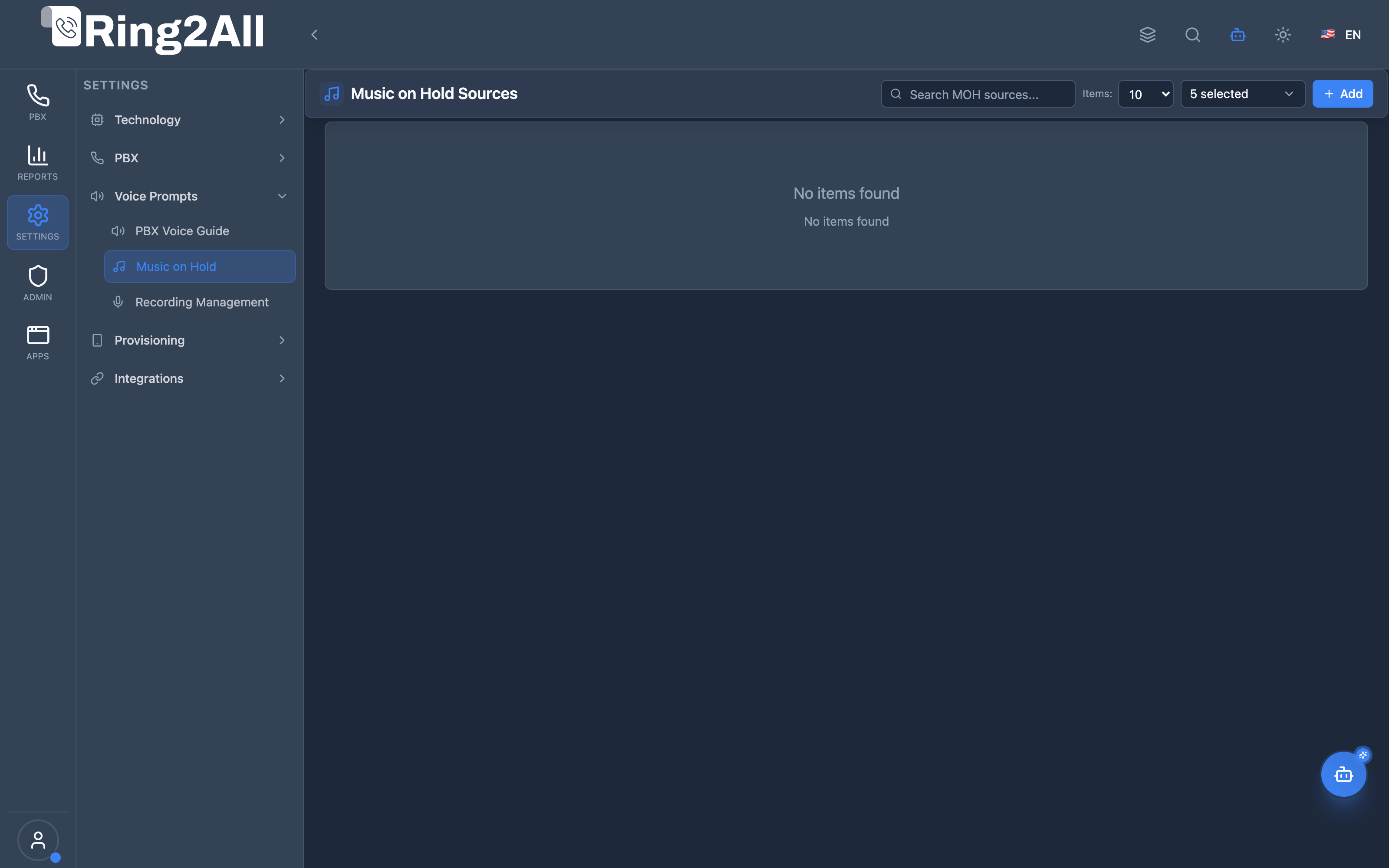
Section titled “Music & Hold Sources Directory”Overview of tenant audio hold sources showing playlist name, audio class, source type (local file playlist vs Shoutcast/Icecast web stream), sound path, priority ranking, and default assignment.
Music & Hold Configuration Form
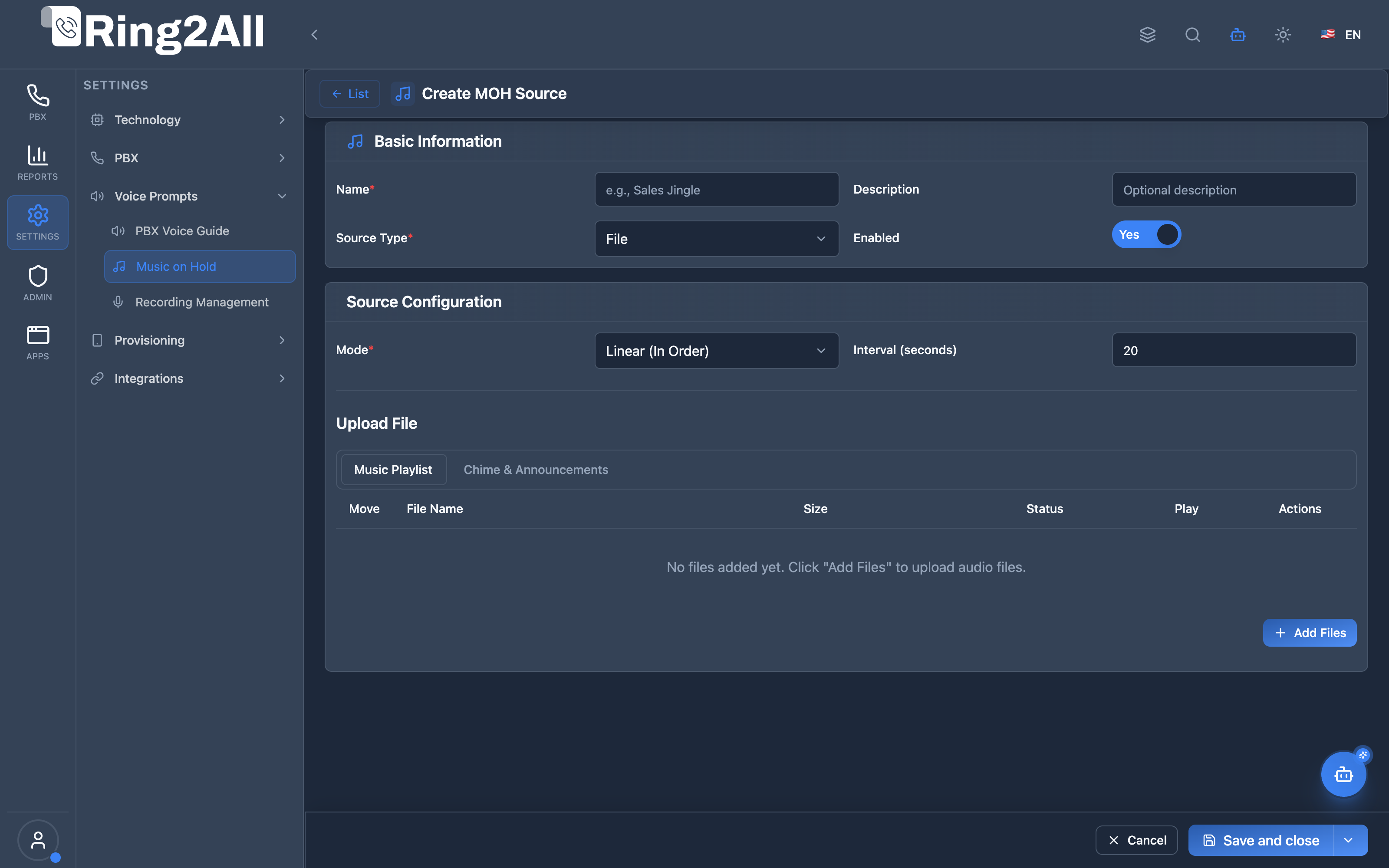
Section titled “Music & Hold Configuration Form”Form for creating and modifying MOH stream classes, configuring local storage directories, Icecast/Shoutcast stream URLs, periodic chime comfort intervals, audio sampling rates, and shuffle/random playback modes.
1. Module Overview (Technical)
Section titled “1. Module Overview (Technical)”What Are Music on Hold Sources?
Section titled “What Are Music on Hold Sources?”Music on Hold (MOH) Sources is a hold music configuration module that manages audio played when callers are placed on hold. It supports uploaded files, external streams, and chime intervals with configurable play modes.
Architecture
Section titled “Architecture”┌─────────────────────────────────────────────────────────────────┐│ Music on Hold Sources Architecture │├─────────────────────────────────────────────────────────────────┤│ ││ Admin Panel ││ ┌──────────────────────────────────────────────────────────┐ ││ │ MOH Sources │ ││ │ │ ││ │ Source Types: │ ││ │ ├─ File: Upload audio files (.wav, .mp3, .ogg) │ ││ │ ├─ Music: Multiple files with play modes │ ││ │ ├─ Stream: External HTTP/Icecast/Shoutcast │ ││ │ └─ Chime: Jingle insertions at intervals │ ││ │ │ ││ └──────────────────────────────────────────────────────────┘ ││ │ ││ ▼ Stored per domain ││ ┌──────────────────────────────────────────────────────────┐ ││ │ Audio Storage │ ││ │ │ ││ │ /var/lib/freeswitch/storage/domains/{domain}/moh/ │ ││ │ ├─ sales_jingle.wav │ ││ │ ├─ support_music.mp3 │ ││ │ └─ corporate_stream │ ││ │ │ ││ └──────────────────────────────────────────────────────────┘ ││ │ ││ ▼ Accessed via local_stream ││ ┌──────────────────────────────────────────────────────────┐ ││ │ Telephony Server mod_local_stream │ ││ │ │ ││ │ local_stream://domains/${domain}/${class} │ ││ │ │ ││ │ Call on hold → Play MOH source │ ││ │ │ ││ └──────────────────────────────────────────────────────────┘ ││ │└─────────────────────────────────────────────────────────────────┘2. Module Overview (Commercial/Business)
Section titled “2. Module Overview (Commercial/Business)”Business Value
Section titled “Business Value”MOH Sources provides customized hold experience:
| Without MOH Sources | With MOH Sources |
|---|---|
| Default silence | Custom music |
| No branding | Branded audio |
| Single track | Multiple playlists |
| No announcements | Chime intervals |
Use Cases
Section titled “Use Cases”-
Branded Hold Music
- Upload company jingles
- Professional image
-
Multiple Playlists
- Different music per queue
- Various customer segments
-
Announcement Chimes
- Periodic messages
- Wait time updates
-
External Streams
- Internet radio
- Live content
Feature Highlights
Section titled “Feature Highlights”| Feature | Benefit |
|---|---|
| File Upload | Custom audio files |
| External Streams | Live radio/podcast |
| Chime Intervals | Periodic announcements |
| Play Modes | Linear, shuffle, random |
| Priority | Source ordering |
| Multi-format | WAV, MP3, OGG |
3. Module Overview (End User/Administrator)
Section titled “3. Module Overview (End User/Administrator)”What Can You Do?
Section titled “What Can You Do?”- Upload audio files (WAV, MP3, OGG)
- Configure external stream URLs
- Set chime intervals for announcements
- Choose play modes (linear, shuffle, random)
- Set source priority
- Enable/disable sources
- Test streams in browser
MOH Sources Interface
Section titled “MOH Sources Interface”┌─────────────────────────────────────────────────────────────────┐│ Music on Hold Sources │├─────────────────────────────────────────────────────────────────┤│ ││ Manage Music on Hold (MOH) sources for your domain. Upload ││ audio files, configure streams, or set up chime intervals. ││ ││ [+ Create MOH Source] ││ ││ [🔍 Search MOH sources...] ││ ││ ┌───────────────────────────────────────────────────────────┐ ││ │ Name │ Class │ Type │ Priority │ Status │ ││ ├─────────────────┼───────────┼────────┼──────────┼────────┤ ││ │ Sales Music │ sales │ Music │ 1 │ ✓ │ ││ │ Support Hold │ support │ File │ 2 │ ✓ │ ││ │ Radio Stream │ radio │ Stream │ 3 │ ✓ │ ││ │ Position Chime │ announce │ Chime │ 1 │ ✓ │ ││ └───────────────────────────────────────────────────────────┘ ││ │└─────────────────────────────────────────────────────────────────┘Create/Edit View
Section titled “Create/Edit View”┌─────────────────────────────────────────────────────────────────┐│ Create MOH Source │├─────────────────────────────────────────────────────────────────┤│ ││ ▼ Basic Information ││ ││ Name: [Sales Music ] ││ Class Name: [sales ] ││ Used in local_stream://domains/${domain}/${class} ││ ││ Description: [Hold music for sales queue] ││ Priority: [1 ] ││ Enabled: ✓ ││ ││ Source Type: [Music ▼] ││ ├─ File (single uploaded audio) ││ ├─ Music (multiple files with play mode) ││ ├─ Stream (external URL) ││ └─ Chime (jingle interval) ││ ││ ──────────────────────────────────────────────────────────────││ ││ ▼ Source Configuration ││ ││ [Music Playlist] [Chime & Announcements] ││ ││ Mode: [Shuffle (Random Order) ▼] ││ ││ Audio Files: ││ [+ Add Files] ││ ┌─────────────────────────────────────────────────────────────┐││ │ ⋮⋮ │ File Name │ Size │ Status │ ▶ │ Actions │││ ├────┼─────────────────────┼───────┼─────────┼───┼──────────┤││ │ ⋮⋮ │ corporate_jingle.mp3│ 2.3MB │ ✓ Saved │ ▶ │ 🗑 │││ │ ⋮⋮ │ jazz_loop.wav │ 5.1MB │ ✓ Saved │ ▶ │ 🗑 │││ │ ⋮⋮ │ classical.ogg │ 3.8MB │ ✓ Saved │ ▶ │ 🗑 │││ └─────────────────────────────────────────────────────────────┘││ Drag to reorder ││ ││ Interval (seconds): [30 ] ││ Time before switching to next track ││ ││ [Save] [Cancel] ││ │└─────────────────────────────────────────────────────────────────┘Quick Tips
Section titled “Quick Tips”[!TIP] Class Name: Use in
local_stream://domains/${domain}/${class}.
[!TIP] Shuffle Mode: Randomly orders playlist on each call.
[!NOTE] File Limits: Max 100MB per file, WAV/MP3/OGG formats.
🎯 User Roles & Key Capabilities
Section titled “🎯 User Roles & Key Capabilities”| Role | Key Capabilities & Permissions | Operational Scope |
|---|---|---|
| PBX Super Administrator | • Global Music on Hold storage allocation and sampling rate governance • Core local_stream.conf.xml Telephony Server stream class reload orchestration• System fallback playlist designation ( default) and deletion protection enforcement• External Icecast/Shoutcast network bandwidth and port access control |
Full Platform Scope |
| Tenant Administrator | • Custom domain hold music playlist creation and audio upload (WAV, MP3, OGG) • Periodic comfort chime interval and announcement frequency configuration • External radio stream integration and playback mode selection (linear, shuffle, loop) • Assignment of MOH classes to ring groups, ACD queues, and parking lots |
Domain Scope |
| Call Center Supervisor | • Read-only inspection of active MOH playlists and queue hold audio • Real-time stream testing and periodic chime message audit • Request submission for custom campaign wait-time audio messages |
Supervised Queues |
| AI Copilot / MCP Agent | • Real-time playlist and stream query (list_moh_sources)• Diagnostic inspection of audio directory contents and play modes ( get_moh_source_status)• Autonomous creation/updating of campaign hold streams ( create_moh_source, update_moh_source)• Safe deletion with dependency safeguards ( delete_moh_source) |
Autonomous Assistant |
4. Configuration Sections
Section titled “4. Configuration Sections”Basic Information
Section titled “Basic Information”| Field | Description |
|---|---|
| Name | Friendly display name |
| Class Name | Stream identifier |
| Description | Optional notes |
| Priority | Lower = plays first |
| Enabled | Active/inactive |
| Source Type | File, Music, Stream, Chime |
Source Types
Section titled “Source Types”| Type | Description |
|---|---|
| File | Single uploaded audio file |
| Music | Multiple files with play mode |
| Stream | External HTTP/Icecast/Shoutcast |
| Chime | Periodic jingle insertions |
Play Modes
Section titled “Play Modes”| Mode | Description |
|---|---|
| Linear | Play in order |
| Shuffle | Random order per session |
| Random | Random each play |
5. Settings Reference
Section titled “5. Settings Reference”File/Music Source
Section titled “File/Music Source”| Setting | Description |
|---|---|
| Audio Files | Uploaded audio files |
| Mode | Linear, Shuffle, Random |
| Interval | Seconds per track (1-120) |
Stream Source
Section titled “Stream Source”| Setting | Description |
|---|---|
| Stream URL | HTTP/HTTPS/Icecast URL |
| Test Stream | Browser playback test |
Chime Source
Section titled “Chime Source”| Setting | Description |
|---|---|
| Chime List | Comma-separated jingle files |
| Chime Frequency | Seconds between chimes (10-600) |
Supported Formats
Section titled “Supported Formats”| Format | Extension | Notes |
|---|---|---|
| WAV | .wav | Best quality |
| MP3 | .mp3 | Compressed |
| OGG | .ogg | Open format |
Model Context Protocol (MCP) AI Integration
Section titled “Model Context Protocol (MCP) AI Integration”The Music & Hold module provides dedicated Model Context Protocol (MCP) tools enabling AI Copilots, autonomous call center managers, and voice assistants to query, configure, and maintain tenant hold music playlists and live audio streams.
Available MCP Telephony Tools
Section titled “Available MCP Telephony Tools”| Tool Name | Action Type | Access Level | Description |
|---|---|---|---|
list_moh_sources |
READ |
Read-Only |
Lists all Music on Hold playlists, sound directories, and live stream sources in the active PBX domain. |
get_moh_source_status |
READ |
Read-Only |
Retrieves detailed configuration, file paths, sample rates, and play mode (linear/shuffle) of a specific MOH source. |
create_moh_source |
WRITE |
Admin |
Creates a new Music on Hold playlist, sound directory, or live stream class in Telephony Server. |
update_moh_source |
WRITE |
Admin |
Modifies playlist settings, audio stream URLs, sample rate, or periodic chime intervals. |
delete_moh_source |
DESTRUCTIVE |
Admin |
Removes a custom MOH source with automated dependency protection guards. |
Tool Schemas & Input Parameters
Section titled “Tool Schemas & Input Parameters”list_moh_sources
Section titled “list_moh_sources”{ "name": "list_moh_sources", "description": "List all Music on Hold (MOH) playlists, sound directories, and live stream sources in the PBX.", "inputSchema": { "type": "object", "properties": { "search": { "type": "string", "description": "Filter by MOH playlist or class name." } } }}get_moh_source_status
Section titled “get_moh_source_status”{ "name": "get_moh_source_status", "description": "Get configuration, audio files, and play mode (linear/shuffle) of a specific Music on Hold playlist.", "inputSchema": { "type": "object", "properties": { "name": { "type": "string", "description": "Name of the MOH source / playlist (e.g. 'default' or 'Rock Hold Music')." } }, "required": ["name"] }}create_moh_source
Section titled “create_moh_source”{ "name": "create_moh_source", "description": "Create a new Music on Hold playlist or audio stream source in Telephony Server.", "inputSchema": { "type": "object", "properties": { "name": { "type": "string", "description": "Name of the MOH source playlist." }, "className": { "type": "string", "description": "Telephony Server MOH class identifier (e.g. 'sales_hold', 'jazz')." }, "sourceType": { "type": "string", "enum": ["file", "stream", "chime"], "description": "Audio source type." }, "streamUrl": { "type": "string", "description": "HTTP/HTTPS Icecast or Shoutcast stream URL (if sourceType is stream)." }, "rate": { "type": "number", "description": "Audio sample rate in Hz (8000, 16000, 32000, 48000). Default: 16000." }, "shuffle": { "type": "boolean", "description": "Whether to randomize track playback order." } }, "required": ["name"] }}Natural Language AI Copilot Prompts
Section titled “Natural Language AI Copilot Prompts”English Prompts
Section titled “English Prompts”- “List all Music on Hold sources configured in our PBX and show their stream types.”
- “Check the configuration details and sample rate of the ‘default’ hold music playlist.”
- “Create a new MOH source named ‘Corporate Jazz’ with sample rate 16000 Hz and shuffle enabled.”
- “Update the streaming URL for our external radio hold source to the new HTTPS endpoint.”
Spanish Prompts
Section titled “Spanish Prompts”- “Lista todas las fuentes de música en espera configuradas en el PBX y sus tipos de origen.”
- “Muestra la configuración y la lista de archivos de la lista de reproducción ‘default’.”
- “Crea una nueva fuente de música en espera llamada ‘Ventas Hold’ con reproducción aleatoria y 16000 Hz.”
- “Verifica si la fuente de espera ‘Musica Clásica’ está asociada a alguna cola de atención antes de eliminarla.”
Enterprise Safeguards & Multi-Tenant Isolation
Section titled “Enterprise Safeguards & Multi-Tenant Isolation”- Domain Isolation: Every MOH query and mutation is strictly partitioned by
domain_id, preventing cross-tenant access to proprietary corporate audio tracks or live streams. - Deletion Protection Guard: System-critical sources like the
defaultMOH class and any playlist currently bound to active ACD Queues, Ring Groups, or IVRs are shielded from deletion byassertCanDeleteMohSource(). - Stream Protocol Sanitization: Stream URLs must start with
http://orhttps://to prevent command injection into underlying audio relay subprocesses.
6. Common Scenarios & Examples
Section titled “6. Common Scenarios & Examples”Scenario 1: Simple Hold Music
Section titled “Scenario 1: Simple Hold Music”- Create new MOH source
- Name = “Default Hold”
- Class = “default”
- Type = File
- Upload audio file
- Enable and save
Scenario 2: Music Playlist
Section titled “Scenario 2: Music Playlist”- Create new MOH source
- Name = “Sales Playlist”
- Class = “sales”
- Type = Music
- Upload multiple files
- Mode = Shuffle
- Interval = 30 seconds
- Save
Scenario 3: Internet Radio
Section titled “Scenario 3: Internet Radio”- Create new MOH source
- Name = “Jazz Radio”
- Class = “radio”
- Type = Stream
- Stream URL = http://example.com/stream.mp3
- Test stream
- Enable and save
Scenario 4: Position Announcements
Section titled “Scenario 4: Position Announcements”- Create new MOH source
- Name = “Queue Position”
- Class = “announce”
- Type = Chime
- Chime List = position.wav,thankyou.wav
- Chime Frequency = 60 seconds
- Save
7. Limitations & Important Notes
Section titled “7. Limitations & Important Notes”Technical Notes
Section titled “Technical Notes”[!NOTE] Stream Address:
local_stream://domains/${domain}/${class}
[!NOTE] mod_local_stream: Uses Telephony Server local stream module.
[!WARNING] File Size: Maximum 100MB per file.
Best Practices
Section titled “Best Practices”- Optimize Audio: Convert to 8kHz mono for bandwidth
- Test Streams: Verify external URLs work
- Reasonable Intervals: 15-60 seconds typical
- Priority Planning: Lower numbers play first
- Backup Files: Keep originals
Stream URL Formats
Section titled “Stream URL Formats”| Type | Example |
|---|---|
| HTTP | http://server.com/stream.mp3 |
| HTTPS | https://server.com/stream.mp3 |
| Icecast | http://icecast.server:8000/stream |
| Shoutcast | http://shout.server:8000/stream |
8. Troubleshooting Tips
Section titled “8. Troubleshooting Tips”Common Issues
Section titled “Common Issues”| Symptom | Possible Cause | Solution |
|---|---|---|
| No audio | Source disabled | Enable source |
| Wrong music | Wrong class | Check class name |
| Upload fails | File too large | Reduce file size |
| Stream fails | Bad URL | Test stream in browser |
| Silence | Invalid format | Convert to WAV/MP3 |
Test MOH Stream
Section titled “Test MOH Stream”# Test in Telephony Serverfs_cli -x "originate loopback/1000 &playback(local_stream://domains/example.com/default)"
# Check local_stream statusfs_cli -x "local_stream status"Check Uploaded Files
Section titled “Check Uploaded Files”# List MOH filesls -la /var/lib/freeswitch/storage/domains/{domain}/moh/
# Test audio fileaplay /path/to/file.wav9. Glossary
Section titled “9. Glossary”| Term | Definition |
|---|---|
| MOH | Music on Hold |
| Class | Stream identifier |
| local_stream | Telephony Server streaming module |
| Chime | Periodic announcement |
| Shuffle | Random play order |
| Icecast | Open source streaming server |
Documentation last updated: January 2026