

SMS Opt-outs Module Documentation
Table of Contents
Section titled “Table of Contents”- Navigation & Access
- Screenshots & Visual Interface
- Module Overview (Technical)
- Module Overview (Commercial / Business)
- Module Overview (End User / Administrator)
- Configuration Fields Reference
- Automatic Keyword Handling (STOP / START / HELP)
- Legal & Regulatory Compliance (TCPA & 10DLC)
- Manual Opt-out Administration
- Model Context Protocol (MCP) AI Integration
- Troubleshooting Tips
- Database Schema
- Glossary
Navigation & Access
Section titled “Navigation & Access”To access the SMS Opt-outs module:
- Log in to the Ring2All Web Portal (
https://<domain-or-ip>/login). - In the left navigation sidebar, expand PBX Engine.
- Under SMS Messaging, click Opt-outs (
/pbx/sms/optouts). - To manually block a number or register a customer unsubscribe request, click the + Add Opt-out button at the top right of the table.
Screenshots & Visual Interface
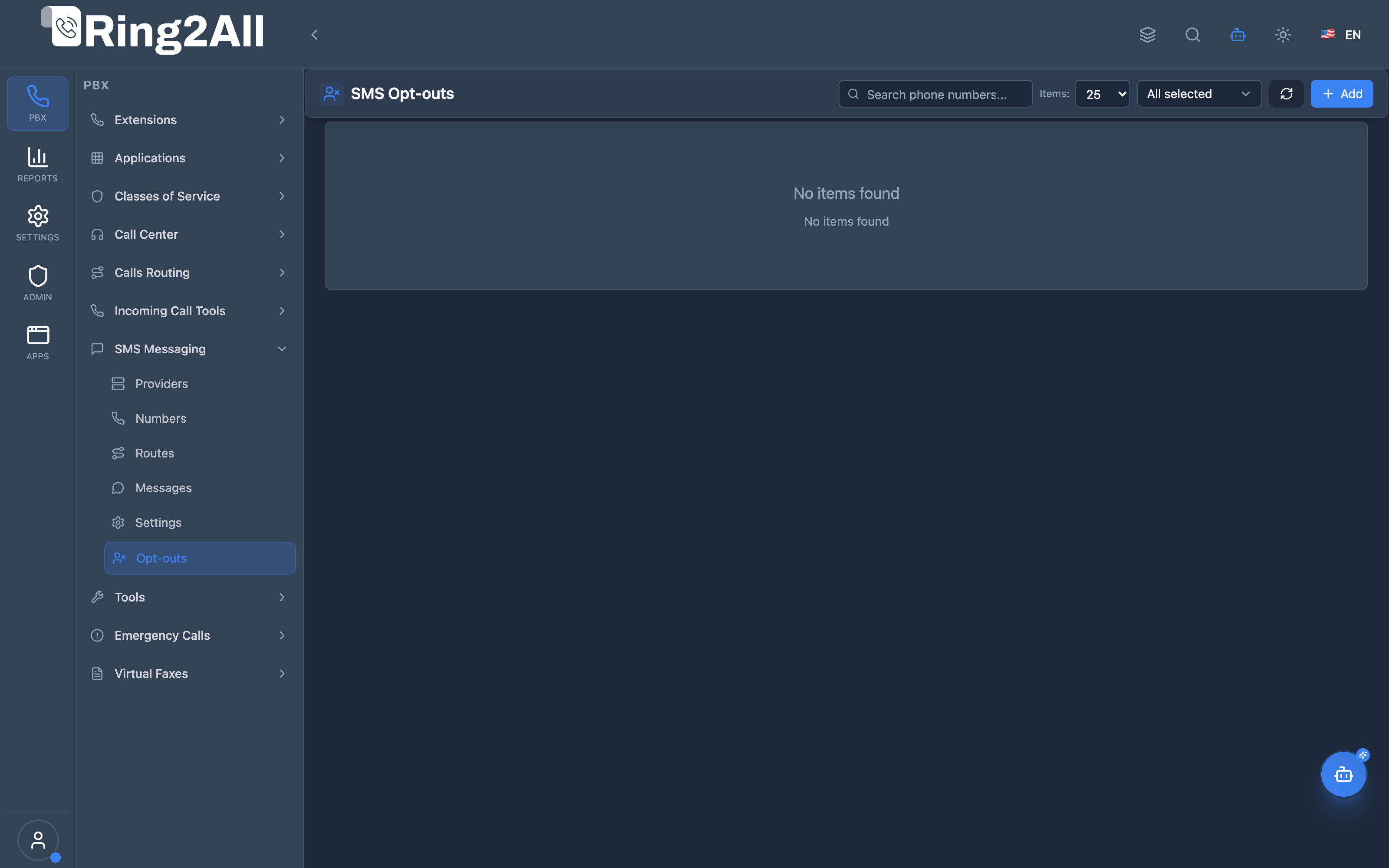
Section titled “Screenshots & Visual Interface”SMS Opt-outs Overview
Section titled “SMS Opt-outs Overview”Displays all phone numbers currently blocked from receiving outbound text messages, categorized by opt-out trigger keyword (STOP, UNSUBSCRIBE, BLOCKED), timestamp, and management actions.
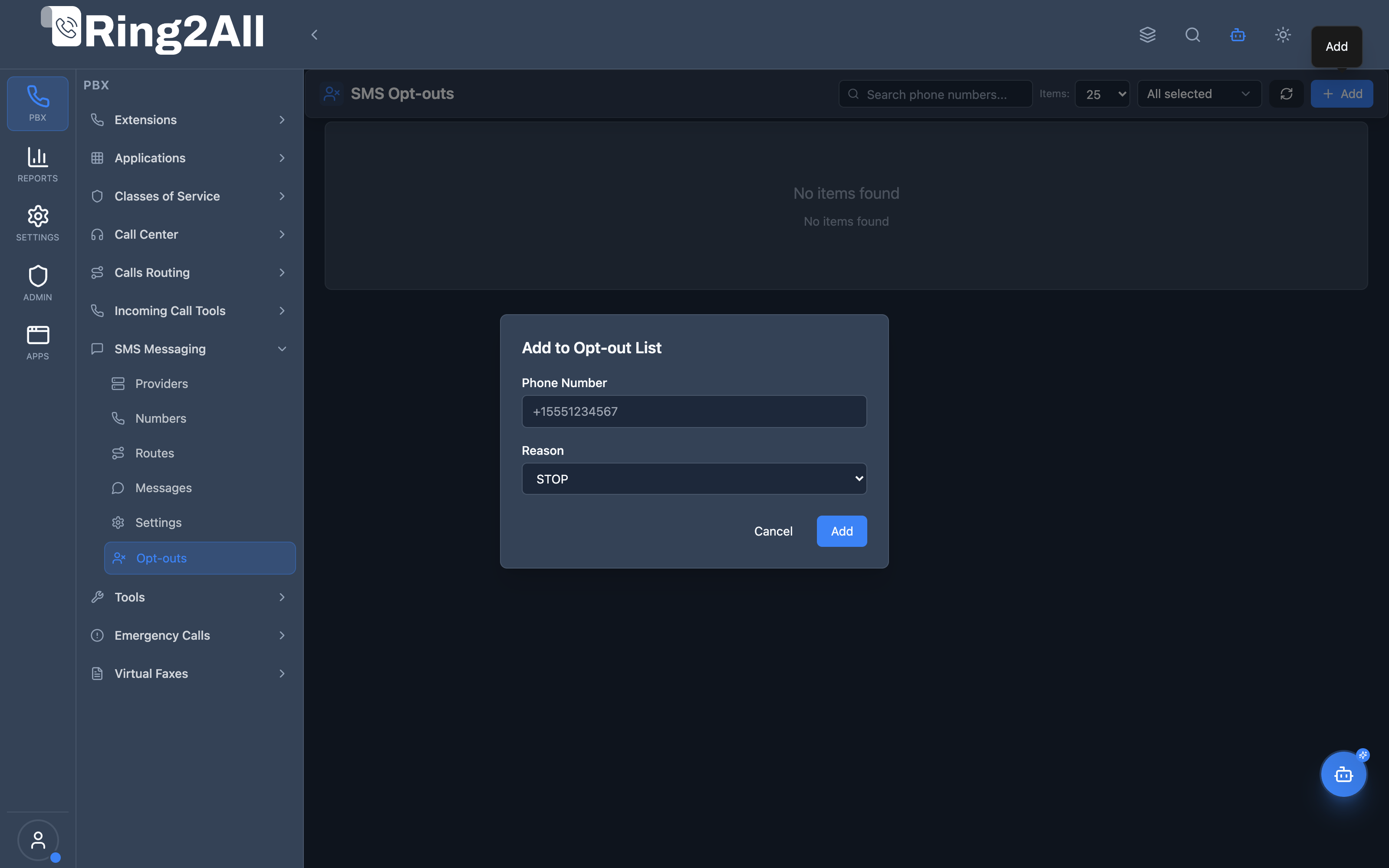
Add SMS Opt-out Modal
Section titled “Add SMS Opt-out Modal”Modal dialog allowing administrators to manually add a telephone number to the opt-out suppression list with an assigned opt-out reason code.
1. Module Overview (Technical)
Section titled “1. Module Overview (Technical)”What is SMS Opt-outs?
Section titled “What is SMS Opt-outs?”The SMS Opt-outs module is the automated suppression list and unsubscribe management engine for the Ring2All platform. It ensures that any recipient who texts standard opt-out keywords (such as STOP, UNSUBSCRIBE, CANCEL, or QUIT) is immediately added to an unmodifiable blocklist, preventing any further automated or human-initiated outbound text messages to that phone number across the tenant domain.
Technical Architecture
Section titled “Technical Architecture”- Inbound webhooks received from telecom carriers pass through an keyword analyzer before routing to extensions or applications.
- If an inbound message matches standard opt-out regex (
/^(stop|stopall|unsubscribe|cancel|end|quit)$/i), the system:- Inserts the phone number into
ss_telephony.sms_optouts. - Replies automatically with the mandatory carrier unsubscribe confirmation receipt.
- Halts further routing of that message.
- Inserts the phone number into
- Whenever an outbound message is submitted via User Portal, API, or automated notifications, a mandatory query verifies that the destination phone number does not exist in
sms_optouts. If found, the message is rejected with statusrejected.
Inbound SMS from +13055550199: "STOP" │ ▼┌───────────────────────────────┐│ Inbound SMS Webhook Worker │└──────────┬────────────────────┘ │ ▼ Keyword Match: STOP │ ├─► 1. Insert (+13055550199, 'STOP') into sms_optouts ├─► 2. Send automated confirmation: "You have unsubscribed..." └─► 3. Drop inbound event from user agent inbox2. Module Overview (Commercial / Business)
Section titled “2. Module Overview (Commercial / Business)”Business Value & Legal Protection
Section titled “Business Value & Legal Protection”- Mandatory Carrier Compliance: US and Canadian mobile network operators (AT&T, T-Mobile, Verizon) will permanently revoke 10DLC campaign brand registrations if carrier audits discover that a business failed to honor STOP requests.
- Lawsuit Immunity (TCPA): Statutory damages under the Telephone Consumer Protection Act are $500 per unauthorized message, trebled to $1,500 for willful violations. Ring2All’s database-level suppression guarantees zero accidental messages.
- Consumer Trust: Respecting customer preferences builds brand credibility and prevents carrier spam flags from degrading sender reputation.
3. Module Overview (End User / Administrator)
Section titled “3. Module Overview (End User / Administrator)”Administrator Experience
Section titled “Administrator Experience”Administrators can:
- Inspect the full suppression list, including exact date and time of the opt-out event.
- Manually register customer verbal unsubscribe requests received over the phone.
- Remove a phone number from the opt-out list if a customer explicitly submits an opt-in consent form.
End User Experience
Section titled “End User Experience”When an extension agent attempts to send an SMS to an opted-out number, the User Portal displays an immediate warning banner: “This recipient has opted out of SMS communications (STOP). Message not sent.”
4. Configuration Fields Reference
Section titled “4. Configuration Fields Reference”| Field Name | Technical Description | User-Friendly Tooltip | Example | Notes |
|---|---|---|---|---|
| Phone Number | E.164 string in phone_number. |
Phone number blocked from receiving messages. | +13055550199 |
Must be in valid international format. Unique per domain. |
| Reason | Code in reason. |
Keyword or event that triggered the opt-out. | STOP |
Options: STOP, UNSUBSCRIBE, BLOCKED, BOUNCED. |
| Date Added | Timestamp in created_at. |
Timestamp when number was added to suppression list. | Sep 4, 2026, 11:20 AM |
Provides audit proof of compliance. |
| Added By | User ID or system flag in created_by. |
Source of the opt-out entry. | System (Keyword) / Admin |
Distinguishes auto-detection from manual admin entries. |
5. Automatic Keyword Handling (STOP / START / HELP)
Section titled “5. Automatic Keyword Handling (STOP / START / HELP)”Ring2All strictly adheres to the CTIA Messaging Principles and Best Practices:
Opt-Out Keywords (Blocklist Addition)
Section titled “Opt-Out Keywords (Blocklist Addition)”When a consumer texts any of the following keywords (case-insensitive):
STOPSTOPALLUNSUBSCRIBECANCELENDQUIT
The number is immediately added to sms_optouts with reason STOP, and the system sends the automated confirmation:
“You have successfully been unsubscribed. You will not receive any more messages from this number. Reply START to resubscribe.”
Opt-In Keywords (Blocklist Removal)
Section titled “Opt-In Keywords (Blocklist Removal)”When an opted-out recipient texts any of the following keywords:
STARTYESUNSTOPSUBSCRIBE
The record is automatically deleted from sms_optouts, and the system replies:
“You have successfully been resubscribed to messages from this number. Reply STOP to unsubscribe at any time.”
Help Keywords
Section titled “Help Keywords”When a recipient texts HELP or INFO, the system returns the business support contact and terms of service without modifying opt-out status.
6. Legal & Regulatory Compliance (TCPA & 10DLC)
Section titled “6. Legal & Regulatory Compliance (TCPA & 10DLC)”- Audit Preservation: Opt-out timestamps and historical CDRs are preserved even if numbers are subsequently re-enabled.
- Universal Suppression: Suppression is enforced across all sender DIDs within the domain. If a customer sends STOP to one company number, all numbers in the domain respect the block.
- Zero-Tolerance Enforcement: The outbound queue rejects opted-out numbers prior to dispatching REST API calls to telecom carriers, eliminating transmission costs.
7. Manual Opt-out Administration
Section titled “7. Manual Opt-out Administration”If a customer requests unsubscription via email, web portal form, or voice call:
- Click + Add Opt-out on the Opt-outs page.
- Enter the customer’s phone number in international E.164 format (e.g.,
+13055550199). - Select the reason code (e.g.,
UNSUBSCRIBEorSTOP). - Click Save. The number is instantly blocked from all outbound messaging.
To unblock a customer who has provided written resubscription consent, click the Trash icon next to the record and confirm deletion.
8. Model Context Protocol (MCP) AI Integration
Section titled “8. Model Context Protocol (MCP) AI Integration”The Ring2All Model Context Protocol (MCP) server provides native tools for inspecting, maintaining, and automating the SMS opt-out suppression list to guarantee strict TCPA, CTIA, and 10DLC regulatory compliance through AI agents.
Available MCP Tools
Section titled “Available MCP Tools”| Tool Name | Operation | Description | Target Entity |
|---|---|---|---|
list_sms_optouts |
Read | Lists all phone numbers currently on the domain SMS suppression list with unsubscription timestamps | Opt-out Registry |
add_sms_optout |
Write | Manually adds a recipient phone number to the suppression list (blocks outbound messages domain-wide) | Opt-out Entry |
remove_sms_optout |
Write | Removes a phone number from the suppression list upon verified customer resubscription | Opt-out Entry |
Protection & Validation Guards
Section titled “Protection & Validation Guards”- Strict Domain Phone Uniqueness: Enforced by constraint
uq_sms_optouts_domain_phoneand controller validation. Registering the same phone number multiple times in the domain is prevented. - Universal Suppression Enforcement: When an opt-out is recorded,
send_sms_messageblocks outbound messages to this number regardless of which company DID or user extension attempts to initiate the conversation. - Reason Code Validation: Verifies that standard compliance reasons (
STOP,UNSUBSCRIBE,MANUAL_BLOCK,BOUNCED) are recorded for legal proof and auditing. - Immediate Transmission Halt: Removing a number from the suppression list immediately restores transmission capability; adding a number halts transmission instantly without cache latency.
Example MCP Payloads
Section titled “Example MCP Payloads”1. Adding an Opt-out Suppression Entry (add_sms_optout)
Section titled “1. Adding an Opt-out Suppression Entry (add_sms_optout)”{ "phoneNumber": "+13055550199", "reason": "STOP"}Response:
{ "success": true, "data": { "id": 48, "phone_number": "+13055550199", "reason": "STOP", "created_at": "2026-09-08T15:20:00.000Z", "message": "Phone number \"+13055550199\" added to SMS opt-out suppression list." }}2. Querying Active Suppressed Numbers (list_sms_optouts)
Section titled “2. Querying Active Suppressed Numbers (list_sms_optouts)”{ "search": "305555"}3. Unblocking a Resubscribed Recipient (remove_sms_optout)
Section titled “3. Unblocking a Resubscribed Recipient (remove_sms_optout)”{ "phoneNumber": "+13055550199"}Copilot Natural Language Prompts
Section titled “Copilot Natural Language Prompts”- “Show all phone numbers currently in our SMS opt-out suppression list.”
- “Check if customer phone number +13055550199 has opted out of text messaging.”
- “Add customer +13055550199 to the opt-out list with reason ‘UNSUBSCRIBE’ per their email request.”
- “Remove +13055550199 from the opt-out list since they sent written consent to resubscribe.”
9. Troubleshooting Tips
Section titled “9. Troubleshooting Tips”| Symptom | Probable Cause | Corrective Action |
|---|---|---|
| Outbound SMS fails with “RECIPIENT_OPTED_OUT” | Recipient number is in opt-out list | Verify entry in /pbx/sms/optouts. Remove if customer gave valid resubscription consent. |
| Inbound “STOP” not automatically blocking | Inbound webhook not reaching Ring2All | Check carrier webhook URL in SMS Providers and verify server firewall allows carrier IPs. |
| Customer texts START but still blocked | START keyword not received or parsed | Manually remove the customer number from the Opt-outs table in the Web Portal. |
10. Database Schema
Section titled “10. Database Schema”Opt-out records are stored in table sms_optouts in the ss_telephony database:
CREATE TABLE public.sms_optouts ( id SERIAL PRIMARY KEY, uuid UUID NOT NULL DEFAULT uuid_generate_v4(), domain_id INTEGER NOT NULL REFERENCES domains(id) ON DELETE CASCADE, phone_number VARCHAR(20) NOT NULL, reason VARCHAR(20) DEFAULT 'STOP', created_at TIMESTAMPTZ NOT NULL DEFAULT now(), created_by INTEGER, CONSTRAINT uq_sms_optouts_domain_phone UNIQUE (domain_id, phone_number), CONSTRAINT chk_sms_optouts_reason CHECK (reason IN ('STOP', 'UNSUBSCRIBE', 'BLOCKED', 'BOUNCED')));11. Glossary
Section titled “11. Glossary”- Opt-out: Explicit request by a consumer to cease receiving automated text communications.
- Suppression List: Database table of blocked contacts checked prior to any outbound transmission.
- CTIA: Cellular Telecommunications and Internet Association — trade association establishing US messaging rules.
- TCPA: Telephone Consumer Protection Act — federal regulation carrying severe penalties for unauthorized commercial texting.