

IVR Statistics Module Documentation
Table of Contents
Section titled “Table of Contents”- Navigation & Access
- Screenshots & Visual Interface
- Module Overview (Technical)
- Module Overview (Commercial/Business)
- Module Overview (End User/Administrator)
- Metrics Reference
- Common Scenarios & Examples
- Limitations & Important Notes
- Troubleshooting Tips
- Glossary
- Model Context Protocol (MCP) AI Integration
Navigation & Access
Section titled “Navigation & Access”To access the IVR Statistics & Analytics dashboard:
- Log in to the Ring2All Web Portal (
https://<domain-or-ip>/login). - In the left navigation sidebar, expand Reports.
- Under IVR Reports, click IVR Stats (
/reports/ivr/stats). - Select the target IVR auto attendant from the dropdown and configure date filters to review interaction metrics, digit heatmaps, and timeout ratios.
Screenshots & Visual Interface
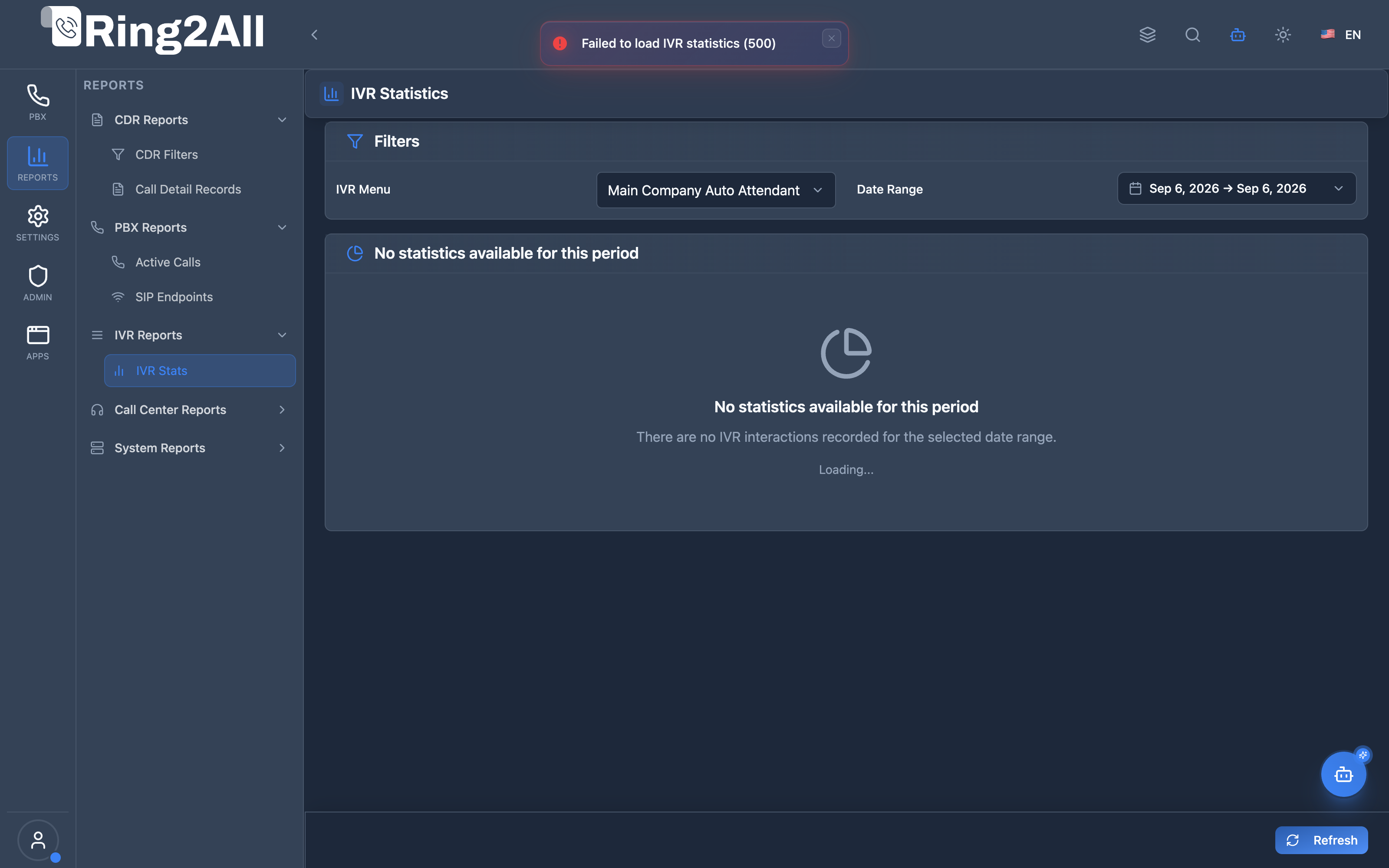
Section titled “Screenshots & Visual Interface”IVR Statistics & Interaction Analytics Console
Section titled “IVR Statistics & Interaction Analytics Console”Interactive performance dashboard featuring aggregate interaction KPIs, option selection frequency graphs, menu dwell times, digit breakdown charts, and detailed caller interaction records.
1. Module Overview (Technical)
Section titled “1. Module Overview (Technical)”What Are IVR Statistics?
Section titled “What Are IVR Statistics?”IVR Statistics is an analytics module that tracks and reports on IVR (Interactive Voice Response) menu interactions. It provides insights into caller behavior, option popularity, timeout rates, and overall IVR effectiveness.
Architecture
Section titled “Architecture”┌─────────────────────────────────────────────────────────────────┐│ IVR Statistics Architecture │├─────────────────────────────────────────────────────────────────┤│ ││ IVR Handler (Lua) ││ ┌──────────────────────────────────────────────────────────┐ ││ │ ivr_menu.lua │ ││ │ │ ││ │ Caller presses option │ ││ │ ├─ Log action to ivr_stats table │ ││ │ ├─ Record digit pressed │ ││ │ ├─ Track wait time │ ││ │ └─ Store destination │ ││ │ │ ││ └──────────────────────────────────────────────────────────┘ ││ │ ││ ▼ Logged to Database ││ ┌──────────────────────────────────────────────────────────┐ ││ │ public.ivr_stats │ ││ │ │ ││ │ ivr_id | action | digit | wait_time | created_at │ ││ │ │ ││ └──────────────────────────────────────────────────────────┘ ││ │ ││ ▼ Queried by Frontend ││ ┌──────────────────────────────────────────────────────────┐ ││ │ IVRStatsPage.tsx │ ││ │ │ ││ │ ┌─────────────────────────────────────────────────────┐ │ ││ │ │ Total: 1,234 │ Options: 987 │ Timeout: 145 │Fail: 12│ │ ││ │ └─────────────────────────────────────────────────────┘ │ ││ │ │ ││ │ Charts: Digit breakdown, Action breakdown, Success rate │ ││ │ │ ││ └──────────────────────────────────────────────────────────┘ ││ │└─────────────────────────────────────────────────────────────────┘2. Module Overview (Commercial/Business)
Section titled “2. Module Overview (Commercial/Business)”Business Value
Section titled “Business Value”IVR Statistics provides caller behavior insights:
| Without IVR Stats | With IVR Stats |
|---|---|
| Unknown usage | Full analytics |
| Guess at performance | Data-driven optimization |
| Hidden problems | Visible timeouts/failures |
| No improvement path | Clear optimization targets |
Use Cases
Section titled “Use Cases”-
IVR Optimization
- Identify most-used options
- Simplify menu structure
-
Problem Detection
- High timeout rates
- Frequent failures
-
Capacity Planning
- Call volume trends
- Peak hour analysis
-
Customer Experience
- Wait time analysis
- Success rate tracking
Feature Highlights
Section titled “Feature Highlights”| Feature | Benefit |
|---|---|
| Total Interactions | Volume tracking |
| Option Presses | Popularity analysis |
| Timeouts | Navigation issues |
| Failures | System problems |
| Digit Breakdown | Option popularity |
| Success Rate | IVR effectiveness |
3. Module Overview (End User/Administrator)
Section titled “3. Module Overview (End User/Administrator)”What Can You Do?
Section titled “What Can You Do?”- View IVR interaction statistics
- Filter by date range
- Filter by action type
- See digit press distribution
- Analyze success/timeout rates
- Export detailed reports
IVR Statistics Interface
Section titled “IVR Statistics Interface”┌─────────────────────────────────────────────────────────────────┐│ IVR Statistics │├─────────────────────────────────────────────────────────────────┤│ ││ Filters: ││ ├─ IVR Menu: [Main Menu ▼] ││ ├─ Start Date: [01/01/2026] ││ ├─ End Date: [01/16/2026] ││ └─ Action Type: [All ▼] ││ ││ ┌────────────────────────────────────────────────────────────┐ ││ │ Total │ Option │ Timeouts │ Failures │ ││ │ Interactions│ Presses │ │ │ ││ │ 1,234 │ 987 │ 145 │ 12 │ ││ └────────────────────────────────────────────────────────────┘ ││ ││ ┌─────────────────────┐ ┌───────────────────────────────────┐ ││ │ Timing Statistics │ │ Most Pressed Digit │ ││ │ │ │ │ ││ │ Avg Wait: 8.5s │ │ Digit 1: Sales (45%) │ ││ │ Avg Duration: 35s │ │ │ ││ └─────────────────────┘ └───────────────────────────────────┘ ││ ││ ┌─────────────────────┐ ┌───────────────────────────────────┐ ││ │ Digit Breakdown │ │ Action Breakdown │ ││ │ │ │ │ ││ │ 1: ████████ 45% │ │ Option: ████████████ 80% │ ││ │ 2: █████ 25% │ │ Timeout: ███ 12% │ ││ │ 3: ███ 15% │ │ Direct: █ 5% │ ││ │ 0: ██ 10% │ │ Failure: ░ 1% │ ││ │ #: █ 5% │ │ Invalid: ░ 2% │ ││ └─────────────────────┘ └───────────────────────────────────┘ ││ ││ [Export Summary] [Export Details] ││ │└─────────────────────────────────────────────────────────────────┘Quick Tips
Section titled “Quick Tips”[!TIP] Select IVR: Must select an IVR menu first to view statistics.
[!TIP] Date Range: Limit date range to avoid slow queries.
[!NOTE] Export: Export detailed data for external analysis.
4. Metrics Reference
Section titled “4. Metrics Reference”Summary Cards
Section titled “Summary Cards”| Metric | Description |
|---|---|
| Total Interactions | All IVR entries |
| Option Presses | Valid digit presses |
| Timeouts | No response within limit |
| Failures | System errors |
Action Types
Section titled “Action Types”| Action | Description |
|---|---|
| Option Pressed | Caller pressed valid digit |
| Timeout | No response from caller |
| Failure | System or config error |
| Invalid | Invalid digit pressed |
| Direct Dial | Extension dialed directly |
| Exit | Caller hung up |
Timing Metrics
Section titled “Timing Metrics”| Metric | Description |
|---|---|
| Average Wait Time | Time before digit press |
| Average Duration | Total IVR time |
Success Metrics
Section titled “Success Metrics”| Metric | Calculation |
|---|---|
| Success Rate | Options / Total × 100% |
| Timeout Rate | Timeouts / Total × 100% |
| Failure Rate | Failures / Total × 100% |
5. Common Scenarios & Examples
Section titled “5. Common Scenarios & Examples”Scenario 1: Identify Popular Options
Section titled “Scenario 1: Identify Popular Options”- Select IVR menu
- View Digit Breakdown chart
- Note most-pressed digits
- Consider reordering menu
Scenario 2: Reduce Timeouts
Section titled “Scenario 2: Reduce Timeouts”- Check Timeout Rate
- If high (>20%), menu may be confusing
- Simplify options
- Shorten prompts
Scenario 3: Monthly Report
Section titled “Scenario 3: Monthly Report”- Set date range for month
- View all metrics
- Export Summary
- Share with management
Scenario 4: Troubleshoot Failures
Section titled “Scenario 4: Troubleshoot Failures”- Filter by “Failure” action type
- View Call Details table
- Identify patterns
- Fix configuration issues
6. Limitations & Important Notes
Section titled “6. Limitations & Important Notes”Technical Notes
Section titled “Technical Notes”[!NOTE] Historical Data: Statistics depend on logging being enabled.
[!NOTE] Select IVR First: Must choose an IVR to view stats.
[!WARNING] Large Ranges: Long date ranges may be slow.
Best Practices
Section titled “Best Practices”- Regular Review: Check stats weekly/monthly
- Watch Timeouts: High timeout = confusing menu
- Watch Failures: Any failures need investigation
- Export Data: Archive important stats
- Optimize Menus: Use data to improve IVR
Target Benchmarks
Section titled “Target Benchmarks”| Metric | Target |
|---|---|
| Success Rate | > 85% |
| Timeout Rate | < 10% |
| Failure Rate | < 1% |
| Avg Wait Time | < 15 seconds |
7. Troubleshooting Tips
Section titled “7. Troubleshooting Tips”Common Issues
Section titled “Common Issues”| Symptom | Possible Cause | Solution |
|---|---|---|
| No data | Stats not logged | Check IVR logging |
| High timeouts | Long/confusing prompts | Simplify menu |
| High failures | Config errors | Check IVR settings |
| High invalid | Wrong key mapping | Review option numbers |
| No call details | Pagination | Use Next/Previous |
Diagnostic SQL
Section titled “Diagnostic SQL”IVR statistics summary:
SELECT action, COUNT(*) as count, AVG(wait_time) as avg_waitFROM public.ivr_statsWHERE ivr_id = [ivr_id] AND created_at >= NOW() - INTERVAL '30 days'GROUP BY action;Most pressed digits:
SELECT digit, COUNT(*) as pressesFROM public.ivr_statsWHERE ivr_id = [ivr_id] AND action = 'option_pressed'GROUP BY digitORDER BY presses DESC;8. Glossary
Section titled “8. Glossary”| Term | Definition |
|---|---|
| IVR | Interactive Voice Response |
| Interaction | Single caller entering IVR |
| Option Press | Valid digit selection |
| Timeout | No caller response |
| Direct Dial | Extension dialed in IVR |
| Success Rate | Percentage completing IVR |
9. Model Context Protocol (MCP) AI Integration
Section titled “9. Model Context Protocol (MCP) AI Integration”The Ring2All Platform Copilot integrates with IVR analytics through the Model Context Protocol (MCP). Call flow architects, customer experience managers, and contact center leads can audit menu performance, analyze caller drop-offs, and discover popular menu branches via natural language dialogues.
Exposed MCP Tools
Section titled “Exposed MCP Tools”| Tool Name | Operation | Primary Parameters | Description |
|---|---|---|---|
get_ivr_statistics |
Menu Performance Metrics | ivrId (number, optional), name (string, optional), days (number, optional, default: 30) |
Retrieves caller interaction statistics for an IVR menu: total call volume, digit selection breakdown, timeout counts, direct dial requests, and average wait time. |
list_ivrs |
IVR Inventory | search (string, optional) |
Lists all configured IVR menus to discover menu IDs, names, extensions, and operational contexts. |
get_ivr_status |
IVR Configuration Review | name (string) |
Fetches the full DTMF key destination mapping (Press 1 for Sales, Press 2 for Support, etc.) to correlate against caller choices. |
Operational Safeguards & Analytics Isolation
Section titled “Operational Safeguards & Analytics Isolation”- Domain Isolation: Statistics queries filter strictly on
domain_id. Interaction data from other business units or tenants remains invisible. - Read-Only Analytics: Statistical queries run aggregate calculations (
COUNT,AVG,GROUP BY) againstss_logs.ivr_statswithout modifying telephony dialplans or audio files. - Zero-Latency Performance: Aggregated reporting indices (
idx_ivr_stats_ivr_action_date) ensure real-time analytics queries do not affect ongoing Telephony Server Lua call processing.
Example MCP Payloads
Section titled “Example MCP Payloads”1. Querying 30-Day IVR Statistics (get_ivr_statistics)
Section titled “1. Querying 30-Day IVR Statistics (get_ivr_statistics)”{ "name": "Main Company IVR", "days": 30}Response:
{ "success": true, "data": { "ivrId": 4, "ivrName": "Main Company IVR", "extension": "5000", "periodDays": 30, "totalInteractions": 842, "actionsSummary": { "option_pressed": 690, "timeout": 88, "direct_dial": 42, "invalid": 22 }, "popularOptions": [ { "digit": "1", "destination": "Ring Group: Sales", "count": 420 }, { "digit": "2", "destination": "Call Queue: Support", "count": 210 }, { "digit": "0", "destination": "Extension: 1001", "count": 60 } ] }}2. Listing Configured IVRs (list_ivrs)
Section titled “2. Listing Configured IVRs (list_ivrs)”{}Copilot Natural Language Prompts
Section titled “Copilot Natural Language Prompts”- “What is the most frequently pressed option on our Main Company IVR?”
- “How many callers timed out without pressing any digit on the IVR this month?”
- “Give me a breakdown of all IVR interactions over the last 7 days.”
- “What percentage of callers use direct extension dialing when entering our auto attendant?”
Documentation last updated: January 2026