

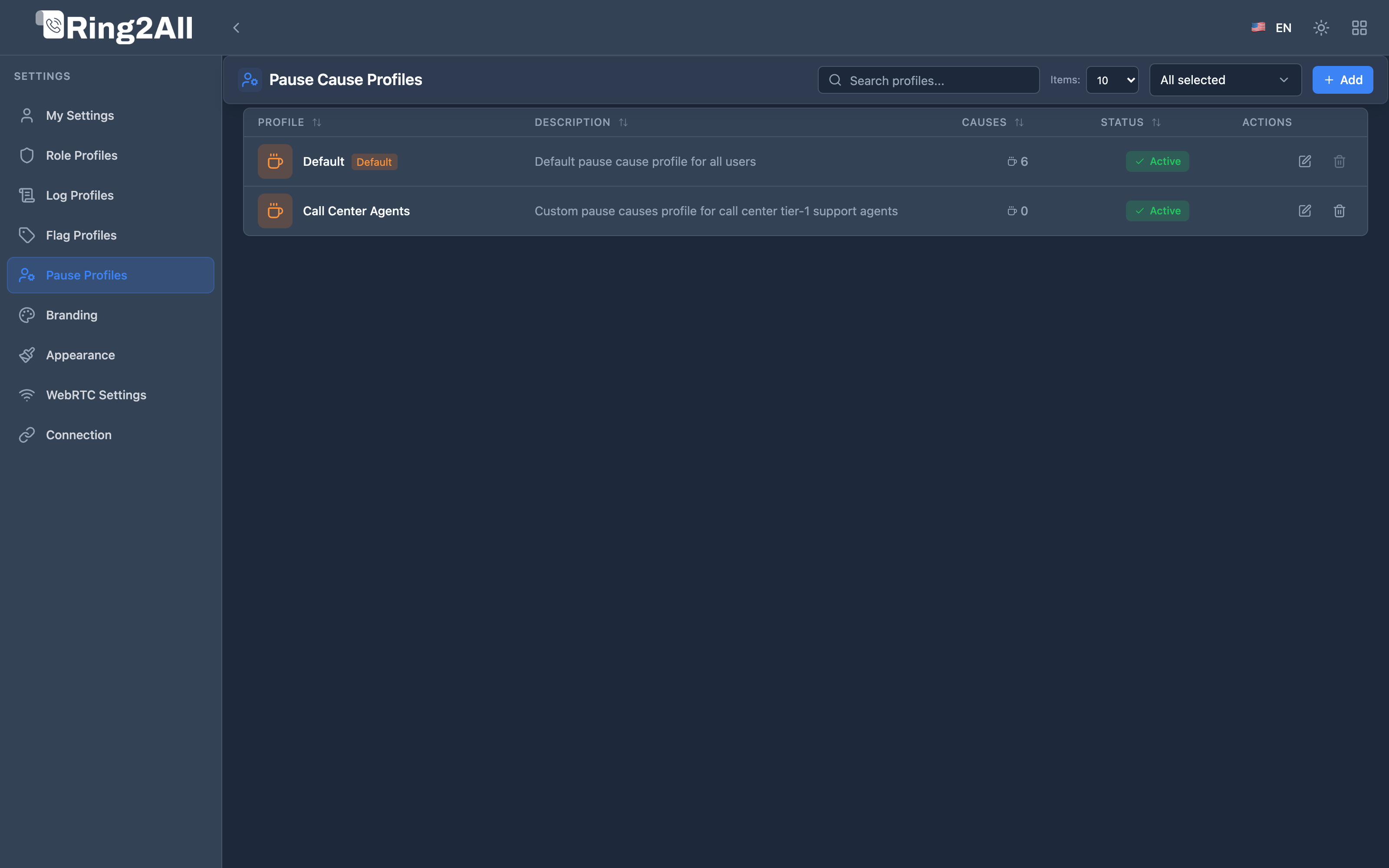
Pause Cause Profiles
📖 Introduction
Section titled “📖 Introduction”In inbound contact center environments, tracking why agents are unavailable to take calls is crucial for workforce management (WFM), payroll, and queue service-level adherence. The Pause Cause Profiles module enables organizations to define structured catalogs of pause and break codes.
When an agent pauses their queue status from the Switchboard, they are prompted to select an authorized reason code. This event updates their queue tier in Telephony Server (mod_callcenter) and logs the duration in the historical CDR reporting database.
☕ Typical Pause Reasons & Visual Iconography
Section titled “☕ Typical Pause Reasons & Visual Iconography”A Pause Cause Profile consists of an ordered sequence of reason items. Each item includes a recognizable icon, color badge, and descriptive label:
| Icon | Cause Name | Recommended Color | Operational Meaning |
|---|---|---|---|
| ☕ | Coffee / Short Break | Green (#22c55e) |
10-15 minute rest period. Agent remains on-premises. |
| 👥 | Team Meeting | Blue (#3b82f6) |
Scheduled internal standup, supervisor coaching, or team huddle. |
| 🎓 | Training | Purple (#8b5cf6) |
Continuous education, product updates, or compliance reviews. |
| 👤 | Personal | Amber (#f59e0b) |
Unscheduled personal emergency or restroom break. |
| 💼 | Administrative / Back-Office | Cyan (#06b6d4) |
Email follow-ups, CRM ticket updates, and back-office order processing. |
| 🎧 | Wrap-Up / After-Call Work | Indigo (#6366f1) |
Post-call documentation requiring extended concentration. |
| ❤️ | Medical / Wellness | Red (#ef4444) |
First-aid or health clinic visit. |
| ⚠️ | Technical Issue | Orange (#f97316) |
Workstation hardware, headset, or ISP network degradation. |
🛠️ Profile Configuration
Section titled “🛠️ Profile Configuration”Header & Metadata
Section titled “Header & Metadata”- Profile Name: Descriptive identifier (e.g.,
Tier 1 Support Breaks,Sales Inbound Break Codes). - Description: Internal explanation of the profile’s applicability.
- Enabled: Active state toggle. Inactive profiles cannot be selected by operators.
- Default Profile: Designates this catalog as the standard assigned fallback for newly provisioned roles and tenants.
Managing Pause Items
Section titled “Managing Pause Items”Within the profile editor, administrators can dynamically customize the cause items:
- Click Add Pause Cause (
+) to insert a new break entry. - Select an icon from the built-in Lucide catalog (Coffee, Users, Clock, GraduationCap, User, AlertTriangle, Phone, Heart, Briefcase, Headphones).
- Assign a preset or custom hex color to highlight the state on the Extensions BLF widget.
- Input the localized cause label and brief description.
- Use drag handles (
⠿) to reorder the items according to operator usage frequency.
🔄 Telephony Server Queue Integration
Section titled “🔄 Telephony Server Queue Integration”When an operator selects a pause reason code in the Switchboard interface:
sequenceDiagram
    autonumber
    actor Agent as Operator / Agent
    participant SW as Switchboard UI
    participant API as Monitoring API
    participant FS as Telephony Event Socket (ESL)
    participant DB as PostgreSQL DB

    Agent->>SW: Selects "☕ Coffee Break"
    SW->>API: POST /api/queues/pause { cause_id, cause_name }
    API->>FS: callcenter_config agent set status <agent_id> 'On Break'
    API->>FS: callcenter_config agent set state <agent_id> 'Waiting'
    API->>DB: INSERT INTO queue_agent_pauses (agent_id, cause_name, started_at)
    FS-->>SW: ESL Event: AGENT_STATUS_CHANGE
    SW-->>Agent: Extension BLF updates to Violet (Paused: Coffee Break)
- Immediate Queue Unbinding: Telephony Server halts delivering inbound ACD calls to this extension.
- BLF Presence Glow: The agent’s BLF tile turns violet (
Paused), displaying the cause code on hover. - WFM Audit Trail: Total paused duration is calculated when the agent clicks Resume / Ready, feeding into contact center supervisor metrics and SLA compliance reports.